The Best Automatic Time Tracking Apps for Mac in 2026
Automatic time tracking on macOS is a solved problem in one sense and completely unsolved in another.
Solved: every app here can record which application and window you had in front of you, without you touching a timer. That has worked reliably for a decade.
Unsolved: turning that record into a sentence you can act on. That is where these tools diverge, and it is the only thing worth choosing on. The three architectures people are choosing between are covered in our explainer on AI time tracking.
How this actually works on a Mac
Worth understanding before you grant anything, because it explains what these apps can and cannot know.
macOS gives an app three broad ways to see what you are doing:
- Accessibility permission, which exposes the frontmost app, its window title, and (with browser support) the active tab URL. This is metadata: names and titles, not content.
- Screen Recording permission, which exposes actual pixels. Any app taking screenshots needs this.
- Browser extensions, which report URLs directly.
Almost every tool on this list uses option 1 and does not ask for option 2. That is the important thing to check on any tracker you install: does it want Screen Recording? If it does, it is capturing your screen, whatever the marketing says.
The apps below that never request Screen Recording cannot see your screen contents, by construction, regardless of whether you trust them.
1. Cronus
Price: $6/mo, 21-day trial · Permissions: Accessibility only
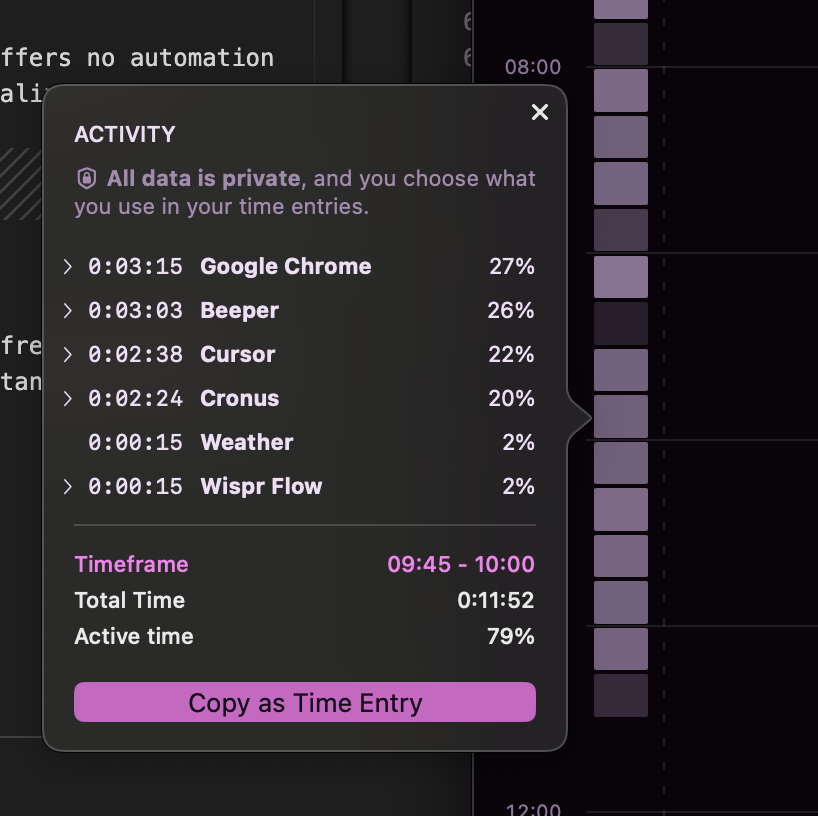
Cronus reads the app name, window title and browser URL, then uses an AI model to work out what the activity meant relative to goals you have set.
The distinguishing feature is that it reasons about context rather than matching domains. A rule-based tracker has to decide once whether youtube.com is productive. Cronus can call the same video research this week and a distraction next week, because what you are working on is an input.

- Nothing to configure. No category rules or keyword lists, ever.
- Nudges, not blocks. It tells you when time is going somewhere you did not choose and lets you decide.
- Calendar integration for meetings and offline time.
- Sensitive information is redacted on your device before anything is sent. GDPR compliant. Pause or revoke permission at any time. See our privacy policy.
Not for you if: you need invoicing, an API, or Windows today.
2. Rize
Price: $12.99 / $28.99 / $49.99 per month · Permissions: Accessibility only
The most feature-dense Mac tracker, and a genuinely well-built native app.
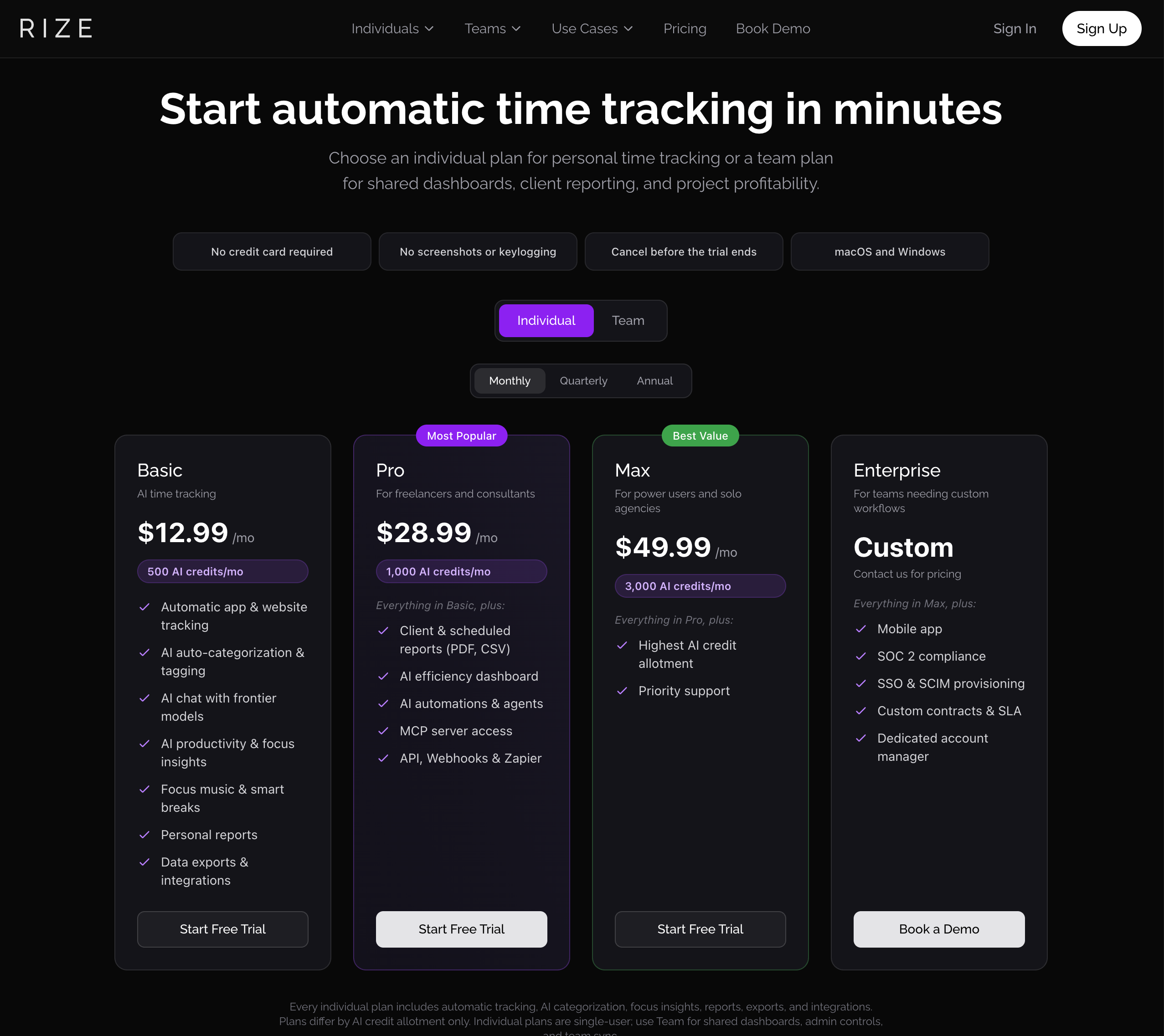
Basic includes automatic tracking, AI categorization, AI chat with frontier models, focus insights, focus music, smart breaks and exports. Pro adds an efficiency dashboard, AI automations, an MCP server, API, webhooks and Zapier. Individual plans are metered by AI credits, and their pricing page notes plans "differ by AI credit allotment only."
Categorization is still substantially rule-driven, so unfamiliar sites come back to you:
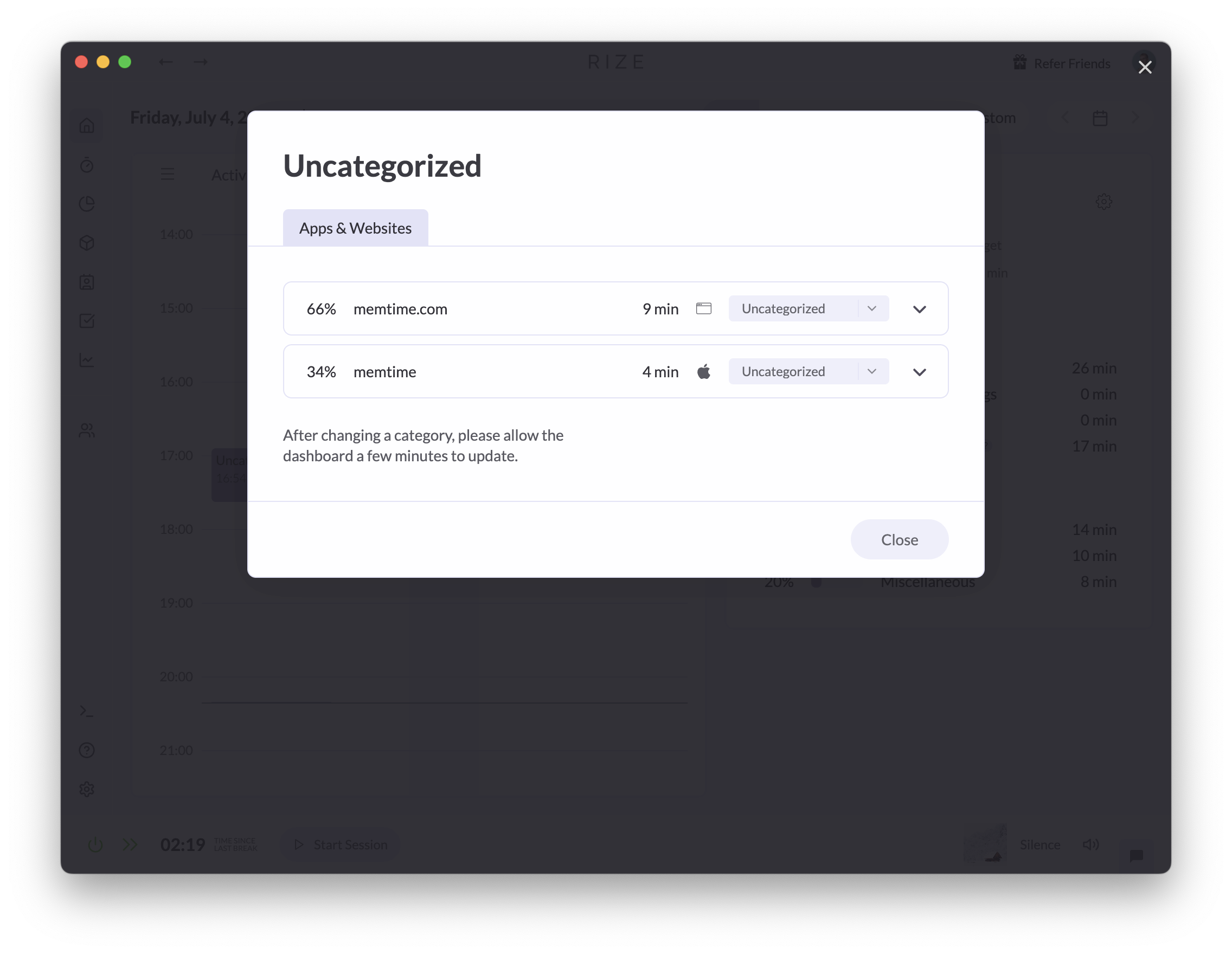
Good if you need client reporting or an API. Heavy if you wanted to know where Tuesday went.
3. Timing
Price: from ~$10/mo · 30-day free trial, no card · Permissions: Accessibility
The longest-established automatic tracker on the Mac, and the one most likely to be the right answer if you are not us.
Two things it does that nothing else here does. It pulls iPhone and iPad usage from Apple Screen Time into the same timeline, so phone calls and tablet reading stop being invisible hours. And it stores data locally, with sync and cloud backup as an option rather than a requirement.
The trade is that projects are assigned by keyword and rule associations you configure. That works well when your work maps onto stable projects. It works badly when most of your day happens in the same few apps, because a rule engine cannot tell this hour in VS Code from that one, so you end up reassigning entries by hand. Users also report the case where one keyword legitimately belongs to several projects and gets filed to the wrong one, which no rule can fix because the deciding information is not in the string.
Full head-to-head: Cronus vs Timing.
4. RescueTime
Price: $7/mo annual (Focus), $12/mo (Solo+) · Free Lite tier · Permissions: Accessibility
The long-running incumbent, and the cheapest paid option with a real track record. Data collection is thorough and the free Lite tier is rare in this category.
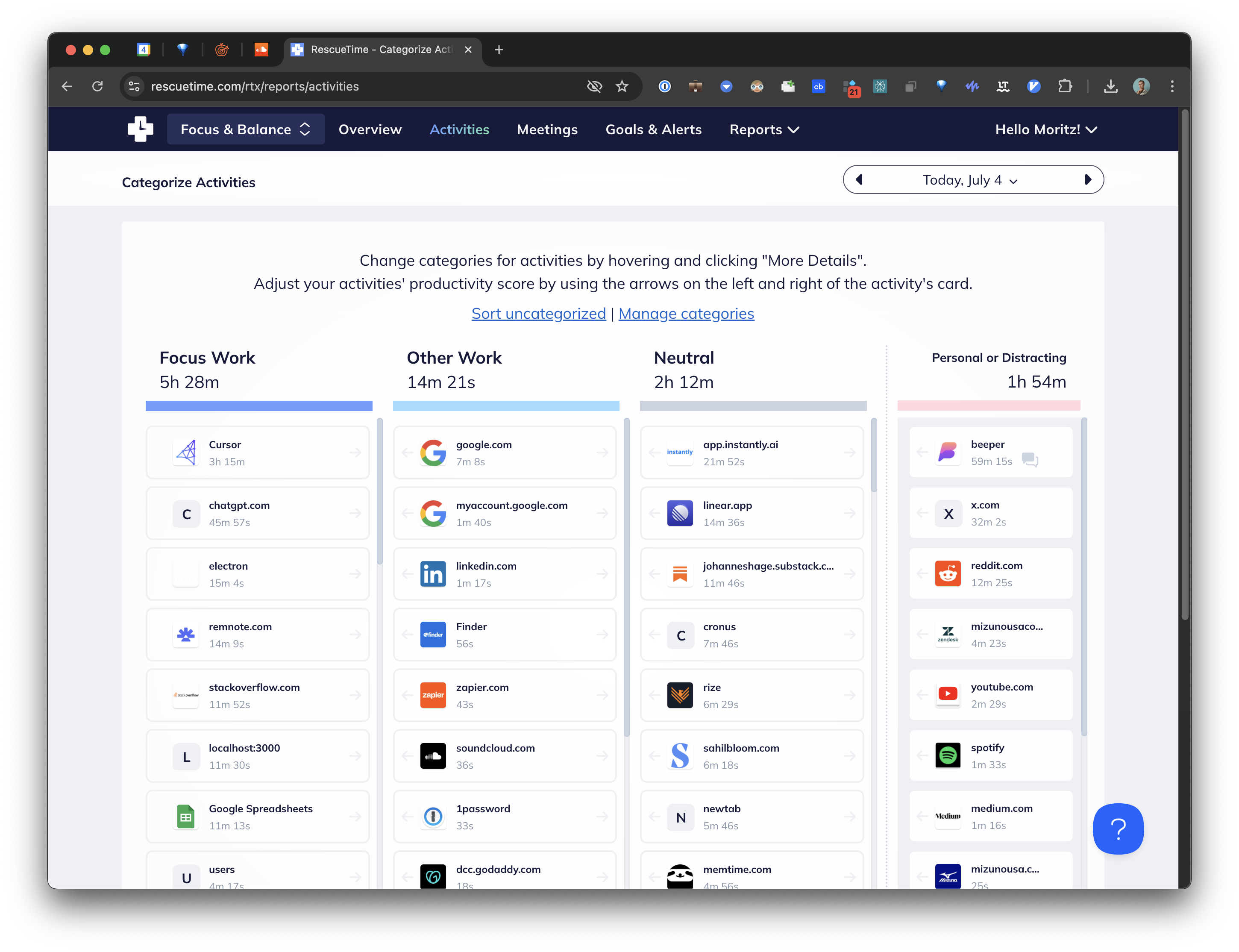
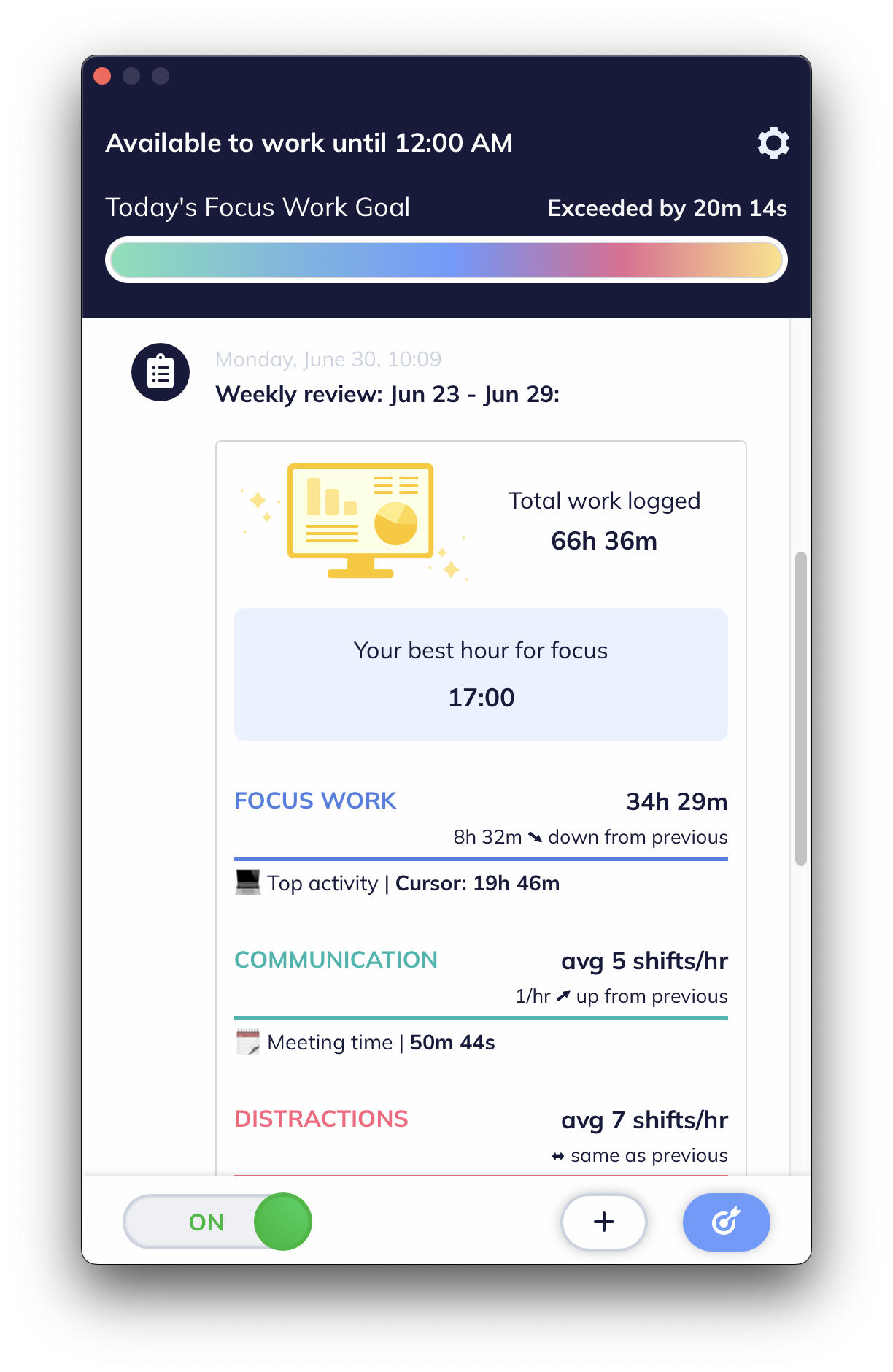
The recurring complaint is that the reports do not resolve into a decision, and the macOS app is closer to a repackaged mobile app than a native one.
5. Timely
Price: from ~$11 per user per month · Permissions: Accessibility, via the Memory app
The best Mac option if you bill clients. Memory captures in the background, AI drafts timesheet entries, you approve them, they become invoices.
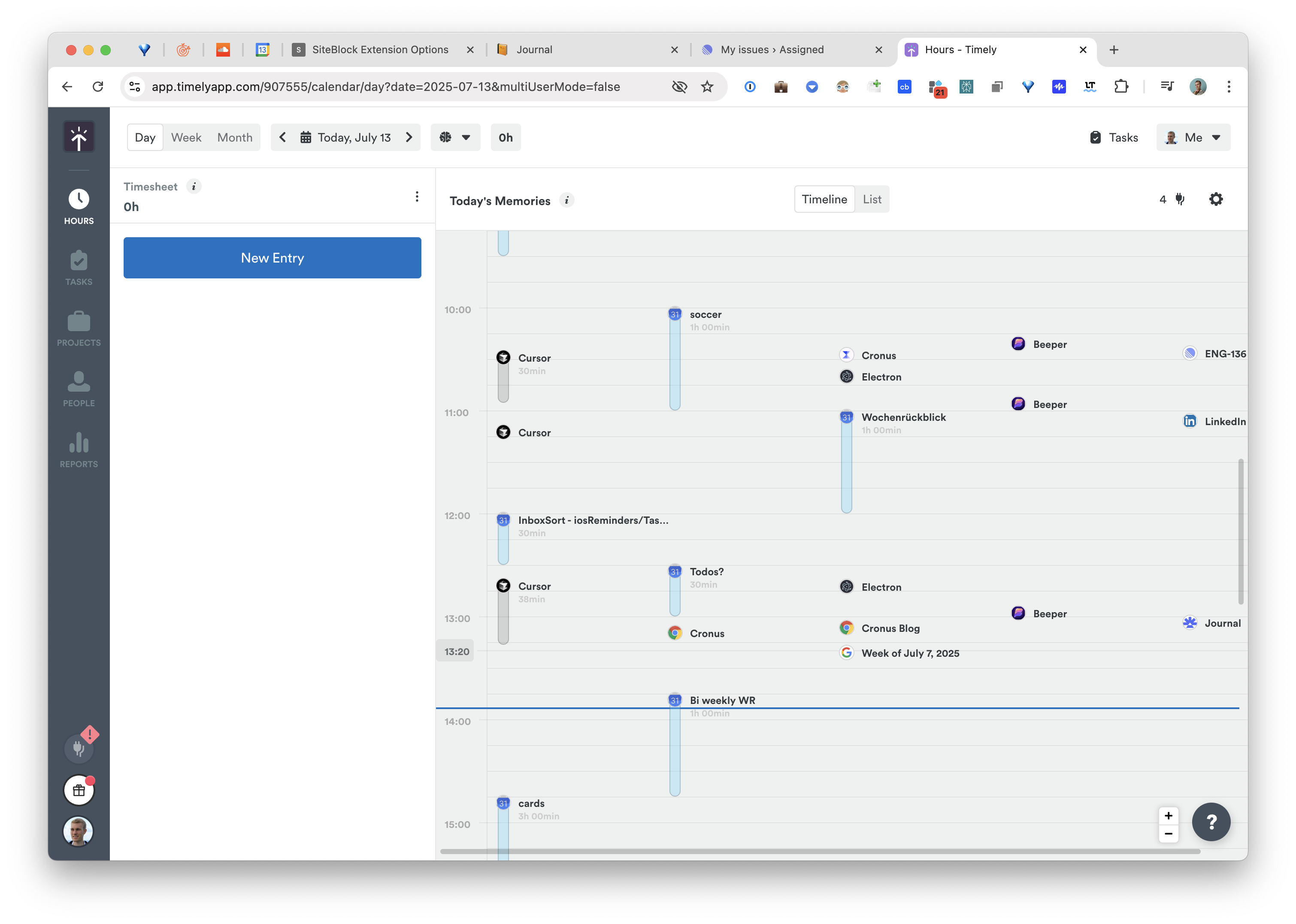
The approval queue is the product if you bill and a chore if you do not. Memory also runs as a second app alongside the main interface.
6. Memtime
Price: from $14/mo annual · Permissions: Accessibility · Nothing leaves the device
The strongest local-only guarantee among paid Mac trackers. All capture and storage is on-device with no server-side processing.
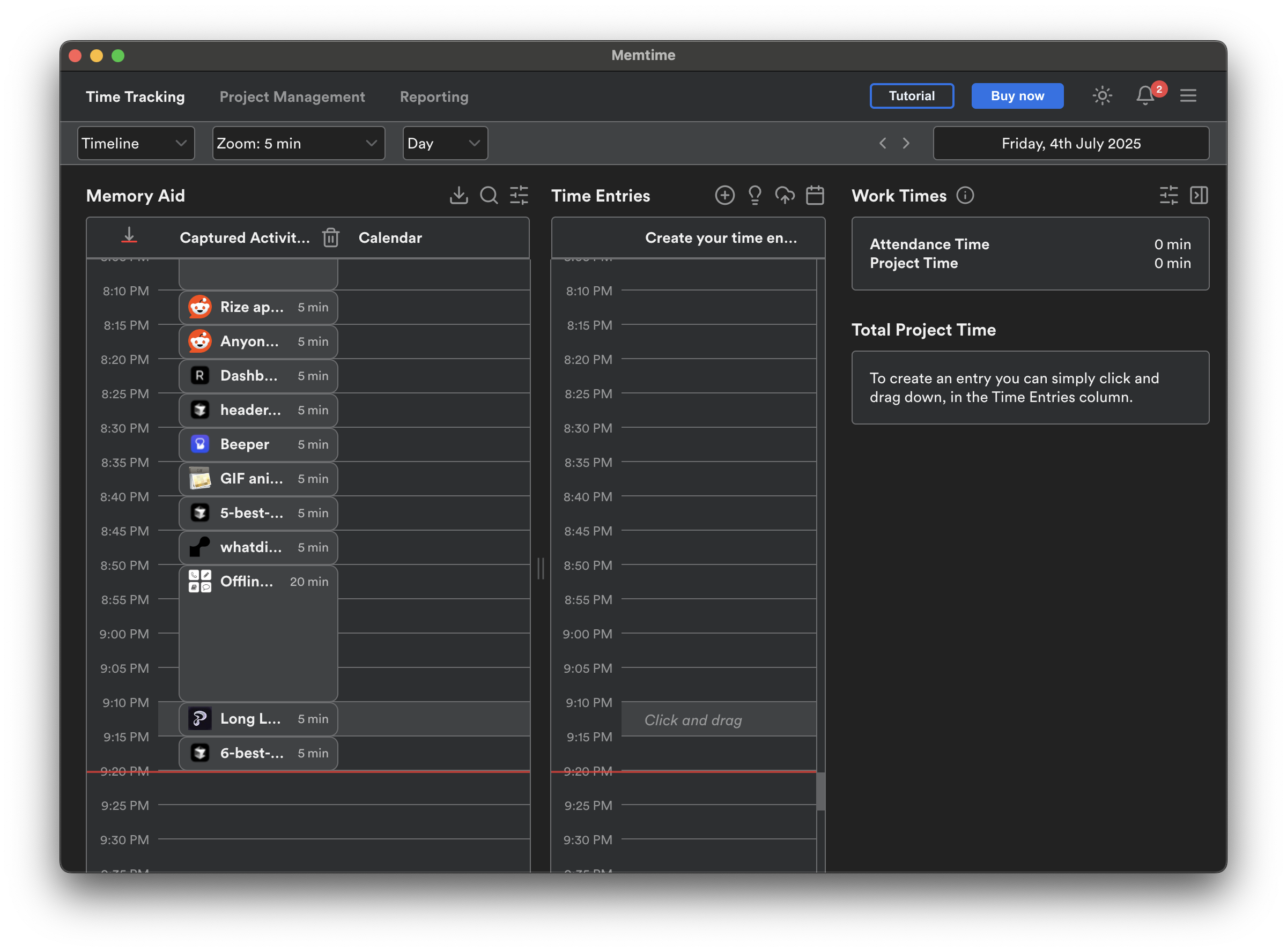
The trade is unavoidable: local means no large model interpreting anything. You get a complete record and do the thinking yourself. Onboarding is long, and there are recurring reports online about billing practices worth reading before you enter a card.
7. ActivityWatch
Price: free, open-source · Permissions: Accessibility, plus optional browser extensions
Free forever, fully local, and the code is public. Tracks active apps, window titles, browser activity and AFK time.
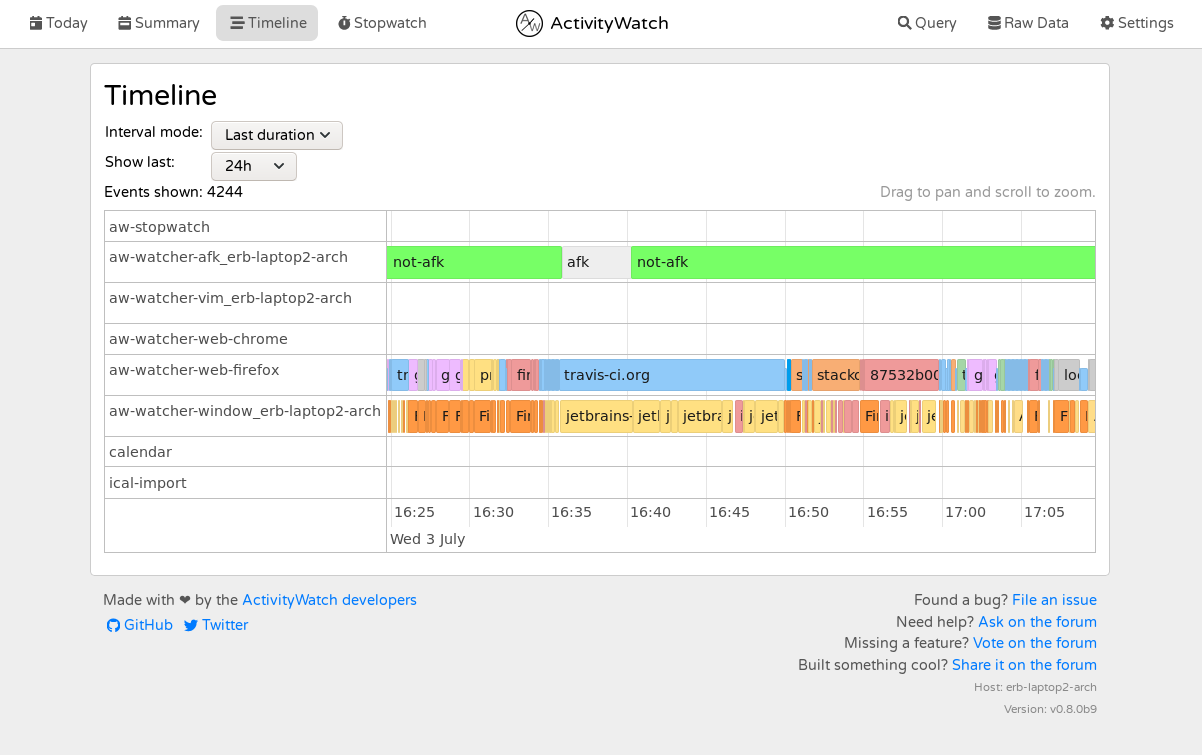
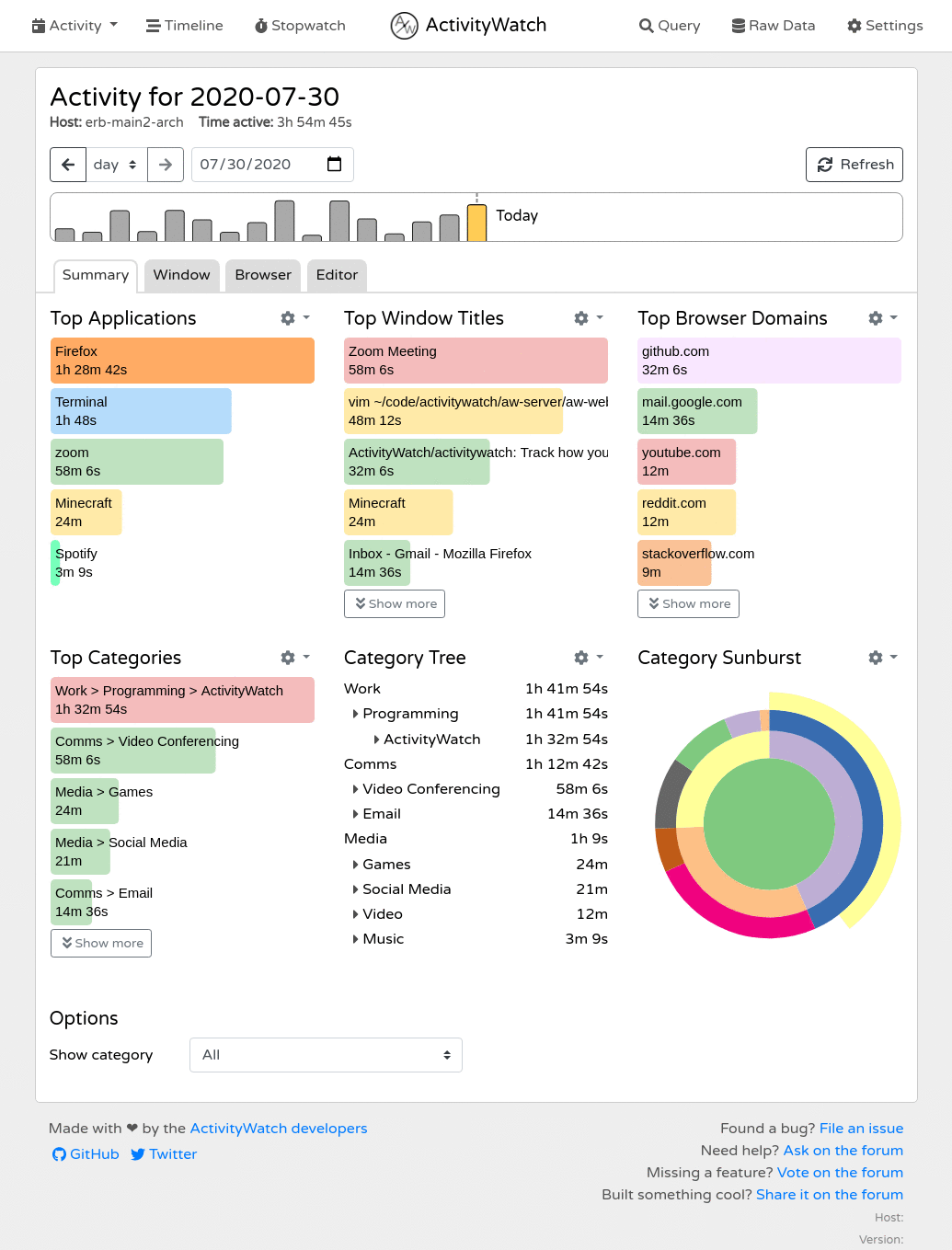
You get events and basic dashboards, not interpretation. Best Mac tracker if you want to own the whole thing and are happy doing the analysis.
8. ManicTime
Price: paid, with perpetual and subscription options · Permissions: Accessibility
Notable on Mac mainly for its on-premise option, which for some regulated organizations is the only acceptable architecture.
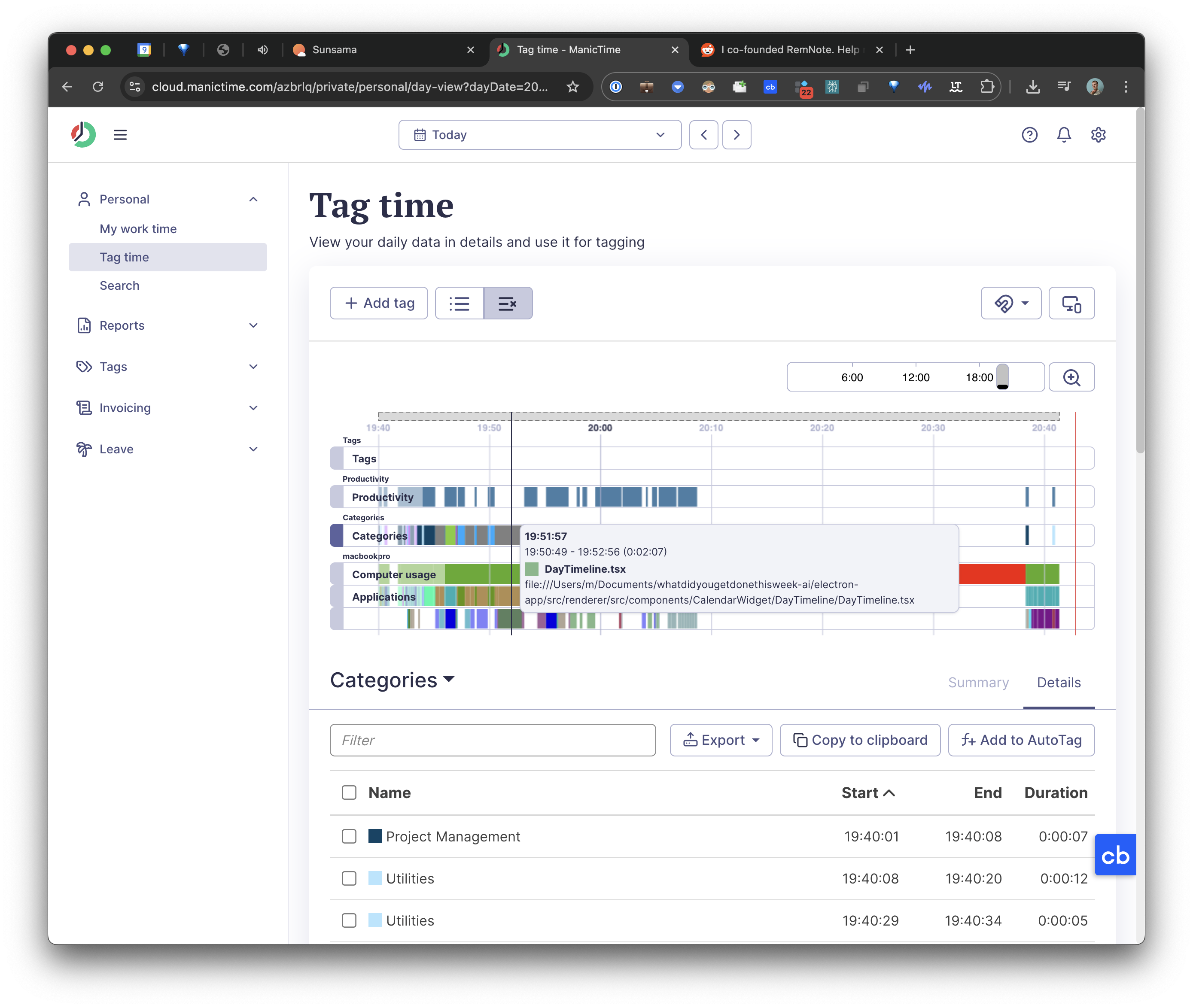
Automatic recording, manual tagging, no AI assistance, and an interface of its era.
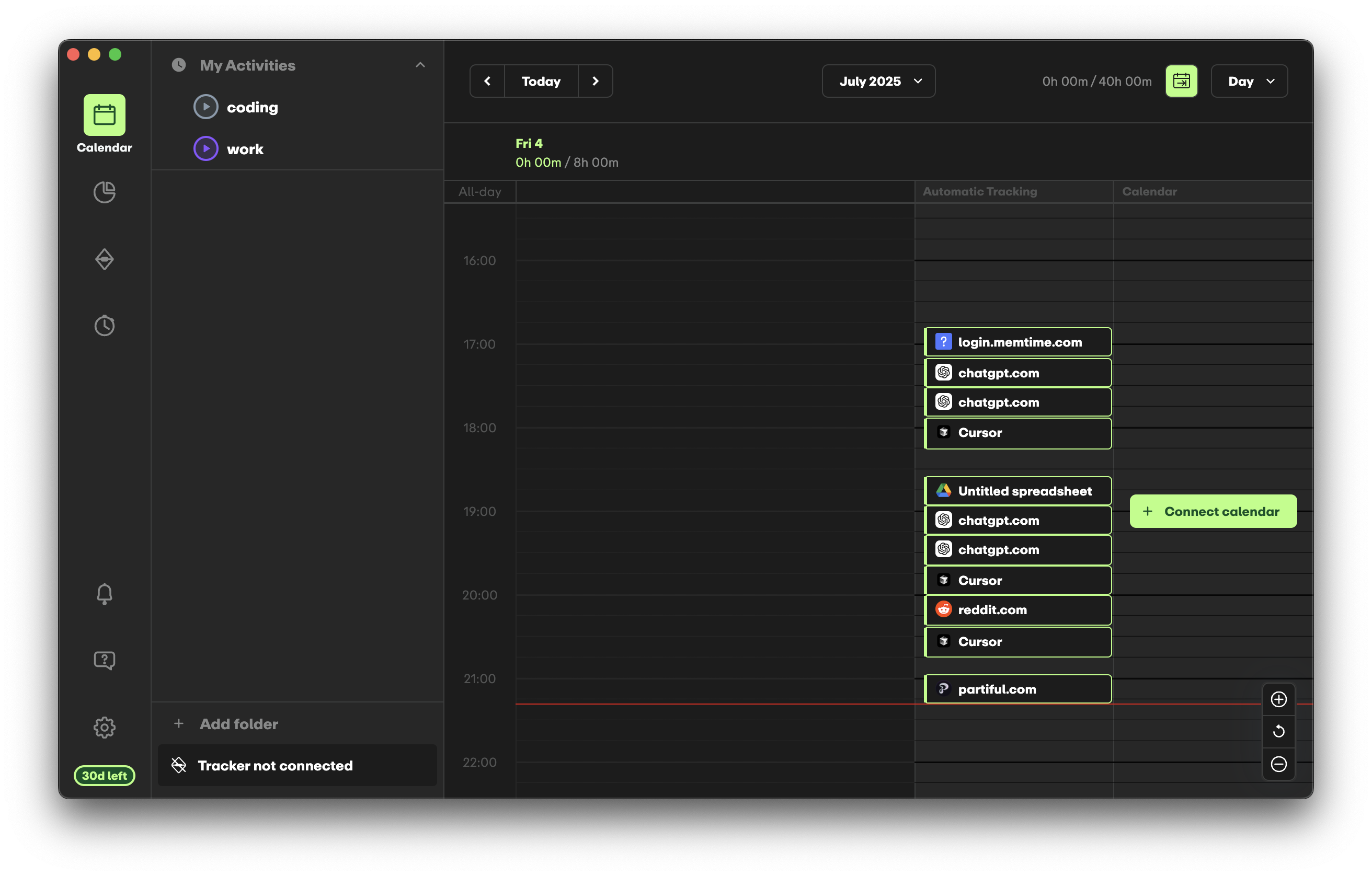
9. Early (formerly Timeular)
Price: paid, with a trial · Permissions: Accessibility
Semi-automatic: it captures context, you confirm and categorize. Its distinctive feature is an 8-sided Bluetooth die you flip to switch tasks, which is a genuinely nice physical ritual if you want one.
10. Toggl Track (with automatic assist)
Price: free tier plus paid · Permissions: Accessibility for the activity block
Not automatic in the same sense, but worth listing because its macOS app records an activity block you can use to reconstruct forgotten time, and its AI Autotracker suggests entries.
Best manual tracker on the Mac, with a generous free tier. Requires that you start the timer.
Comparison
| Price | Screen Recording permission | Interpretation | Free option | |
|---|---|---|---|---|
| Cronus | $6/mo | No | AI, goal-aware | 21-day trial |
| Rize | $12.99–$49.99/mo | No | Rule-assisted | Trial only |
| Timing | ~$10/mo and up | No | Keyword rules | 30-day trial |
| RescueTime | $7–$15/mo | No | Category scoring | Lite tier |
| Timely | ~$11/user/mo | No | AI drafts, you approve | Trial only |
| Memtime | $14–$35/mo | No | None, local only | Trial only |
| ActivityWatch | Free | No | None, raw | Yes, open-source |
| ManicTime | Paid | No | None, manual tags | Limited |
| Early | Paid | No | You confirm | Trial only |
| Toggl Track | Free + paid | No | Manual with hints | Yes |
A note on the screen-recording question
A separate category of app has appeared recently that does request Screen Recording: tools that screenshot your display continuously and index the text, so an AI agent can search it later. Coast is the best-made example.
Those are worth understanding, and they are not time trackers. They answer "find that thing I saw," not "where did my week go," and the privacy bargain is completely different: everything stays on your Mac, but everything is on your Mac, screenshotted and indexed. We wrote about that trade in detail.
Which to pick
- You bill clients. Timely, or Rize Pro.
- You need on-premise. ManicTime.
- Nothing may leave the Mac. Memtime if you will pay, ActivityWatch if you will tinker.
- You want the cheapest established option. RescueTime.
- You want your iPhone and iPad hours counted too. Timing. Nothing else on the Mac does this.
- You want a physical ritual. Early.
- You will reliably start a timer. Toggl.
- You want to know where your time actually went, with no setup and no subscription. Cronus.
Deeper head-to-heads: Cronus vs Rize, Cronus vs RescueTime, Cronus vs Timely and Cronus vs Timing. Alternatives round-ups for Timely and Timing.
Download Cronus for Mac. Accessibility permission, about a minute, free for 21 days.
