Updated August 2026
RescueTime alternative, when the dashboard stops telling you anything
Is RescueTime free?
Does RescueTime track time automatically?
Why do people leave RescueTime?
What RescueTime does better than us
Eighteen years of operating history, a free tier that persists, Windows, Linux and mobile apps, and FocusTime blocking. It is also the cheapest credible paid option in the category.
And if you already have years of RescueTime history, that continuity is real and switching throws it away. That alone is a good reason to stay.
The one problem
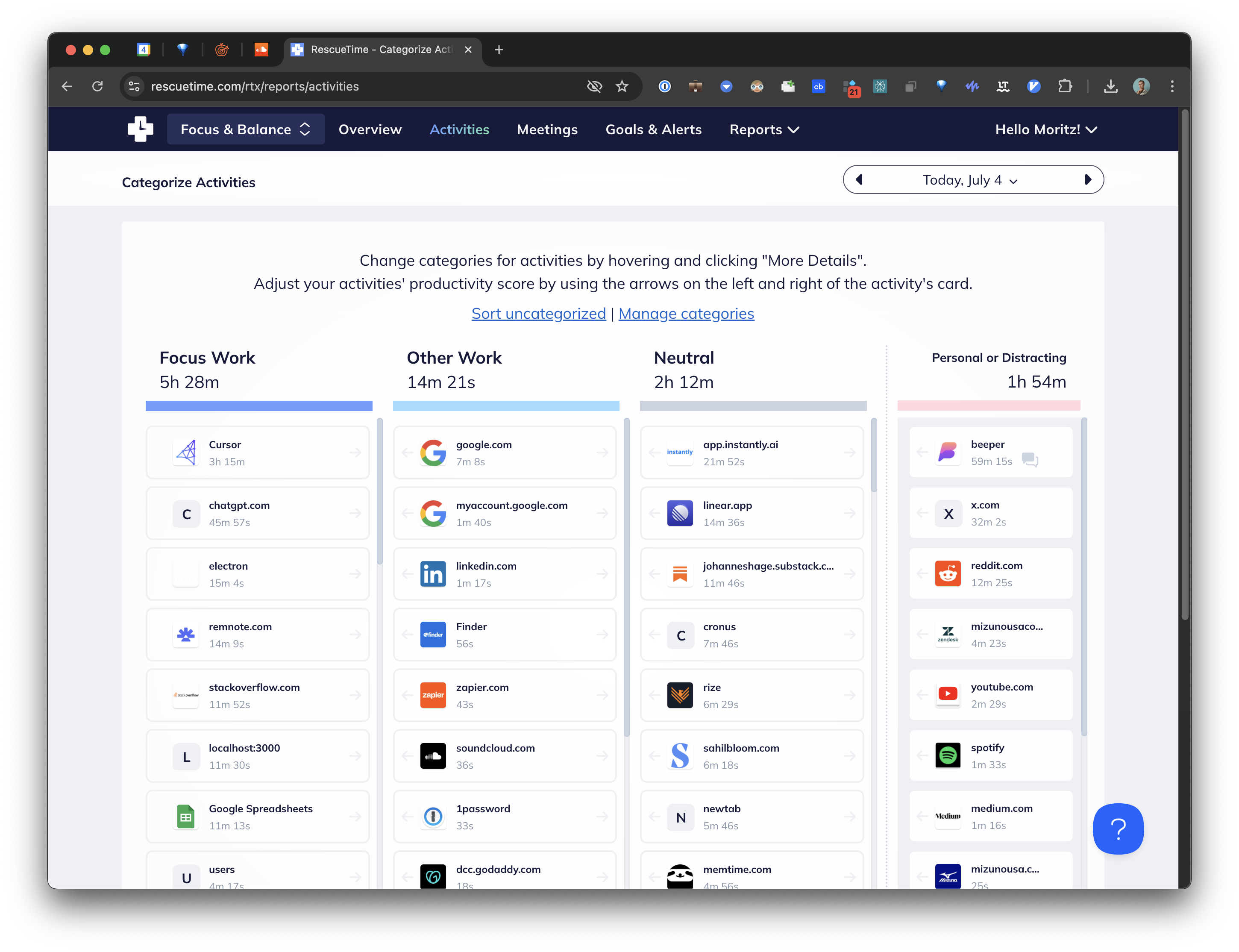
RescueTime scores activity against broad category defaults. Social networking is negative, development tools are positive, and you tune it from there.
That works until your life stops matching the categories. LinkedIn is social networking, right up until the week you are hiring, when it is the most productive thing you do. Reddit is a distraction, except when the answer to your bug is on it. You can fix each case by hand, and that is the deal: a system you maintain.
The result is a lot of dashboard and comparatively little guidance. Thorough is not the same as actionable.
RescueTime versus Cronus
| RescueTime | Cronus | |
|---|---|---|
| Price | Free Lite, then $7–$15/mo | $6 a month |
| Free tier | Yes, Lite | No, 21-day trial |
| Categorization | Category scoring, you tune it | AI infers from context |
| Goal-aware | No | Yes |
| Rules to maintain | Yes, your own overrides | None |
| Blocking | FocusTime | Nudges only |
| Track record | ~18 years | ~1 year |
| Platforms | Mac, Windows, Linux, mobile | macOS, Windows in progress |
The difference that decides it
RescueTime measures and reports. Cronus interprets and interrupts.
Instead of scoring domains on a fixed productivity scale, Cronus reads the app, window title and URL and works out what the activity meant relative to what you said you were trying to do. So the LinkedIn case resolves differently in different weeks, with nothing to tune. And the primary output is a nudge while the afternoon is getting away from you, not a summary on Sunday when the week is already spent.

Which to pick
Stay with RescueTime if you value years of history, need Windows, Linux or mobile, genuinely use FocusTime, or want a free tier from an established company.
Try Cronus if you have been paying for a dashboard you stopped opening, and what you actually wanted was for something to notice, in the moment, that the afternoon was going somewhere you did not choose.
21 days free, then $6 a month
The trial only counts days you actually use the app. Cronus never captures your screen.
Longer write-ups: every RescueTime alternative compared, the full head-to-head.