Cronus vs RescueTime
RescueTime is the oldest name in automatic time tracking and still one of the cheapest. Cronus is a year old and $6 a month. The comparison is less about features than about what each one believes a time tracker is for.
Short version: RescueTime measures and reports. Cronus interprets and nudges. If you want a complete record to analyse, RescueTime. If you want to be told what is going on, Cronus.
At a glance
| Cronus | RescueTime | |
|---|---|---|
| Price | $6/mo after a 21-day trial | Focus $7/mo annual, Solo+ $12/mo annual |
| Free tier | No, 21-day trial | Yes, Lite |
| Categorization | AI infers from context | Productivity scoring by category |
| Goal-aware | Yes | No |
| Rules to maintain | None | Yes, your own category overrides |
| Blocking | Nudges only | FocusTime blocking |
| Mobile | In progress | Yes, but siloed from desktop |
| Track record | ~1 year | ~18 years |
| Screen captured | No | No |
Categorization
RescueTime scores activity against a productivity scale using broad category defaults. Social networking is negative, development tools are positive, and you adjust from there.
This works until your life stops matching the categories. LinkedIn is social networking, right up until the week you are hiring, when it is the most productive thing you do. Reddit is a distraction, except when the answer to your bug is on it. YouTube is entertainment, except when it is a conference talk.
You can fix each of these by hand. That is the deal RescueTime offers: a system you tune. Eighteen years of users have tuned it, and many are happy.
Cronus offers a different deal. It reads the app, window title and URL, and a model infers what you were doing and whether it serves the goals you told it about. There is nothing to tune, and the LinkedIn case resolves itself differently in different weeks because context is an input rather than a setting.

Reports vs nudges
This is the real philosophical split.
RescueTime gives you a lot of dashboard. Charts, trends, productivity pulse, weekly email summaries. The data is genuinely good.
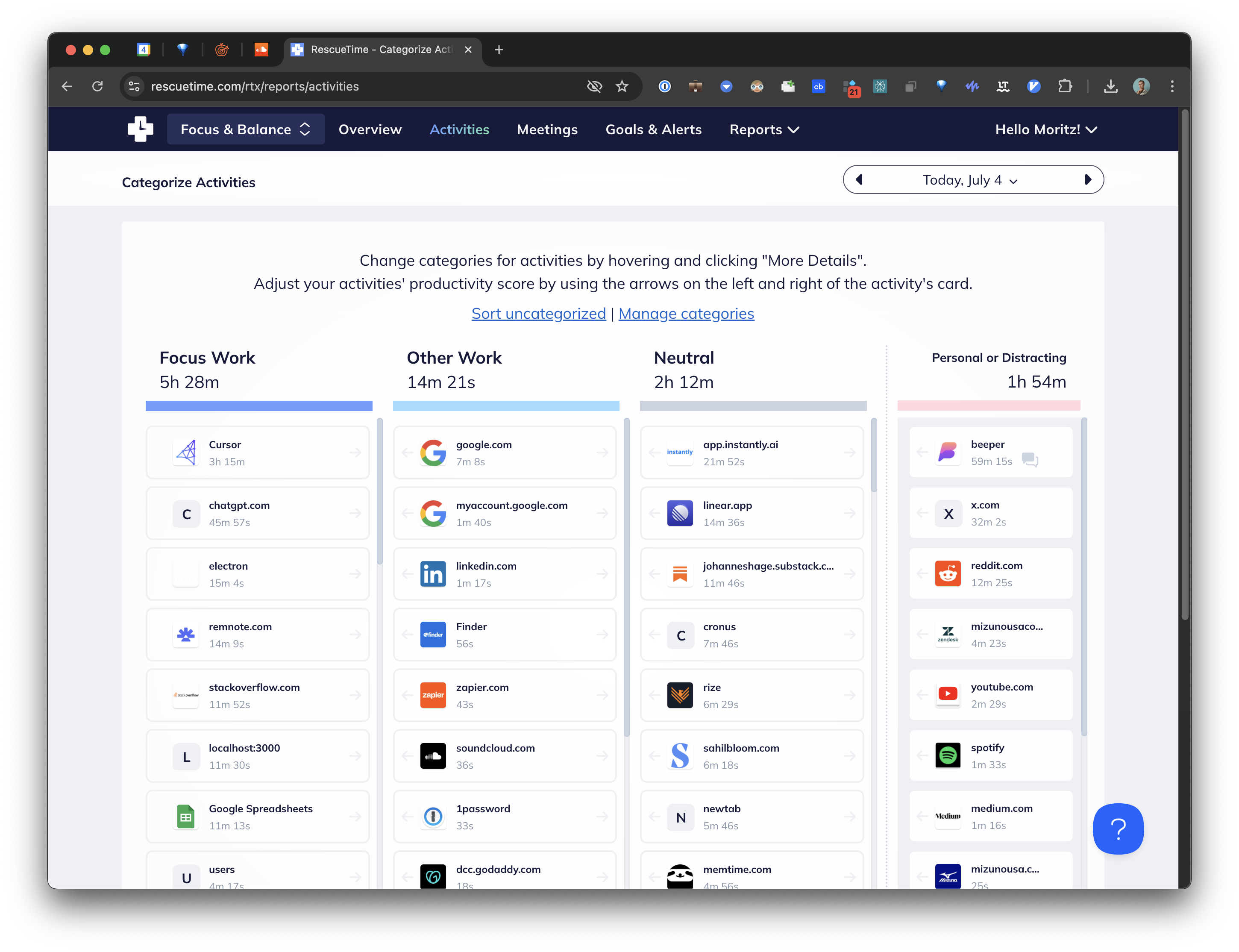
The recurring complaint, and it shows up in user threads going back years, is that the reports do not resolve into a decision. You see that Tuesday was worse than Monday. You do not learn what to do differently, and by the time the weekly summary lands, the week is over.
Cronus is built on the opposite bet: the useful moment is not Sunday evening, it is right now, twenty minutes into something you did not intend to be doing. So the primary output is a nudge while it is happening, not a report afterwards.
If you enjoy analysing your own data, that will feel thin and you should pick RescueTime. If your dashboards go unopened, that is exactly the diagnosis Cronus is responding to.
Price
RescueTime is the most reasonably priced incumbent: $7/mo annually for Focus, $12/mo for Solo+ with timesheets, 14-day trial, and a free Lite tier that persists after cancellation.
Cronus is $6 a month after a 21-day free trial. One price, no tiers, and the trial only counts days you actually use the app.
RescueTime's Lite tier deserves credit here. Very few competitors offer any free option at all, and if your requirement is "free and established," Lite is a legitimate answer.
Platform and maturity
We should be straight about this. RescueTime has eighteen years of operating history, a mobile app, Windows and Linux support, FocusTime blocking, and integrations built up over a very long time.
Cronus is on macOS, with Windows in progress and mobile in development. It is a young product from a small team.
If longevity and platform coverage are what you are buying, RescueTime wins outright and it is not close.
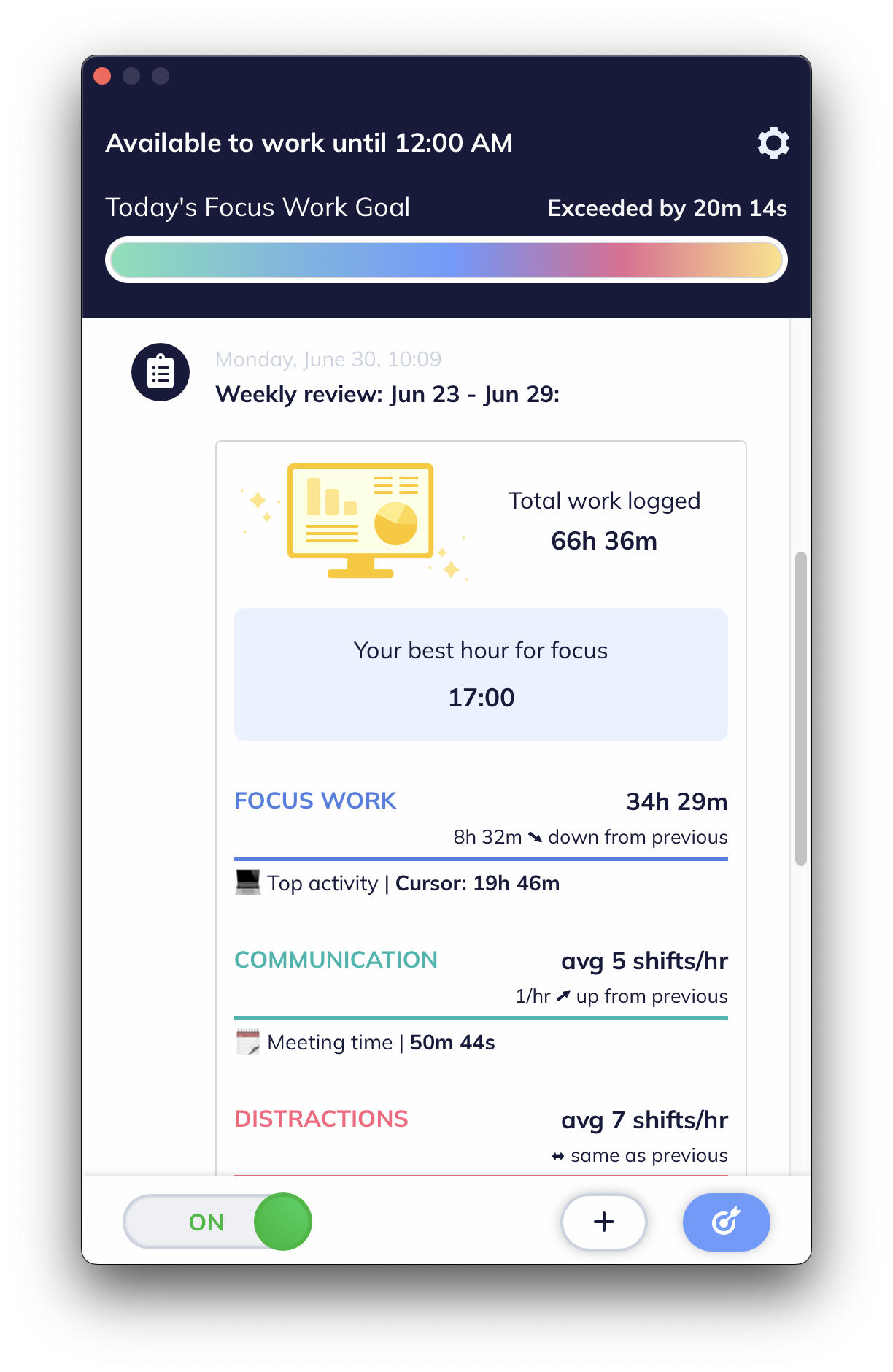
One caveat on the mobile point: RescueTime's mobile and desktop data remain siloed, so you get two pictures rather than one. And the macOS app is closer to a repackaged mobile app than a native one, which you notice.
Privacy
Neither captures your screen.
RescueTime records application and site usage to its servers under a long-standing privacy policy.
Cronus reads window metadata only, redacts sensitive information on your device before anything is transmitted, and is GDPR compliant. You can pause tracking or revoke accessibility permission at any time. See our privacy policy.
Both are reasonable. Cronus transmits less by design; RescueTime has a longer track record of handling it.
Where RescueTime wins
- Eighteen years of operating history.
- Windows, Linux and mobile today.
- FocusTime blocking, if hard blocks work for you.
- A free Lite tier from an established company.
- Your existing history, if you already have years of it. That continuity is real and switching throws it away.
Where Cronus wins
- Categorization that understands context instead of scoring domains.
- Goal awareness, so judgments track what you are actually working on.
- Nothing to maintain. No category overrides, ever.
- Intervention while it matters, rather than a summary afterwards.
- $6 a month, one price with no tiers above it.
The verdict
Stay on RescueTime if you have years of history you value, need Windows, Linux or mobile today, or genuinely use FocusTime.
Switch to Cronus if you have been paying for a dashboard you stopped opening, and what you actually wanted was for something to notice, in the moment, that the afternoon was getting away from you.
Download Cronus. 21 days free, then $6 a month, and you will know within that first week which of those two people you are.
