







Automatic time tracking for Mac and iPhone.

See where your time actually goes. On-device AI sorts every hour into focus and distraction, and your screen never leaves your Mac.

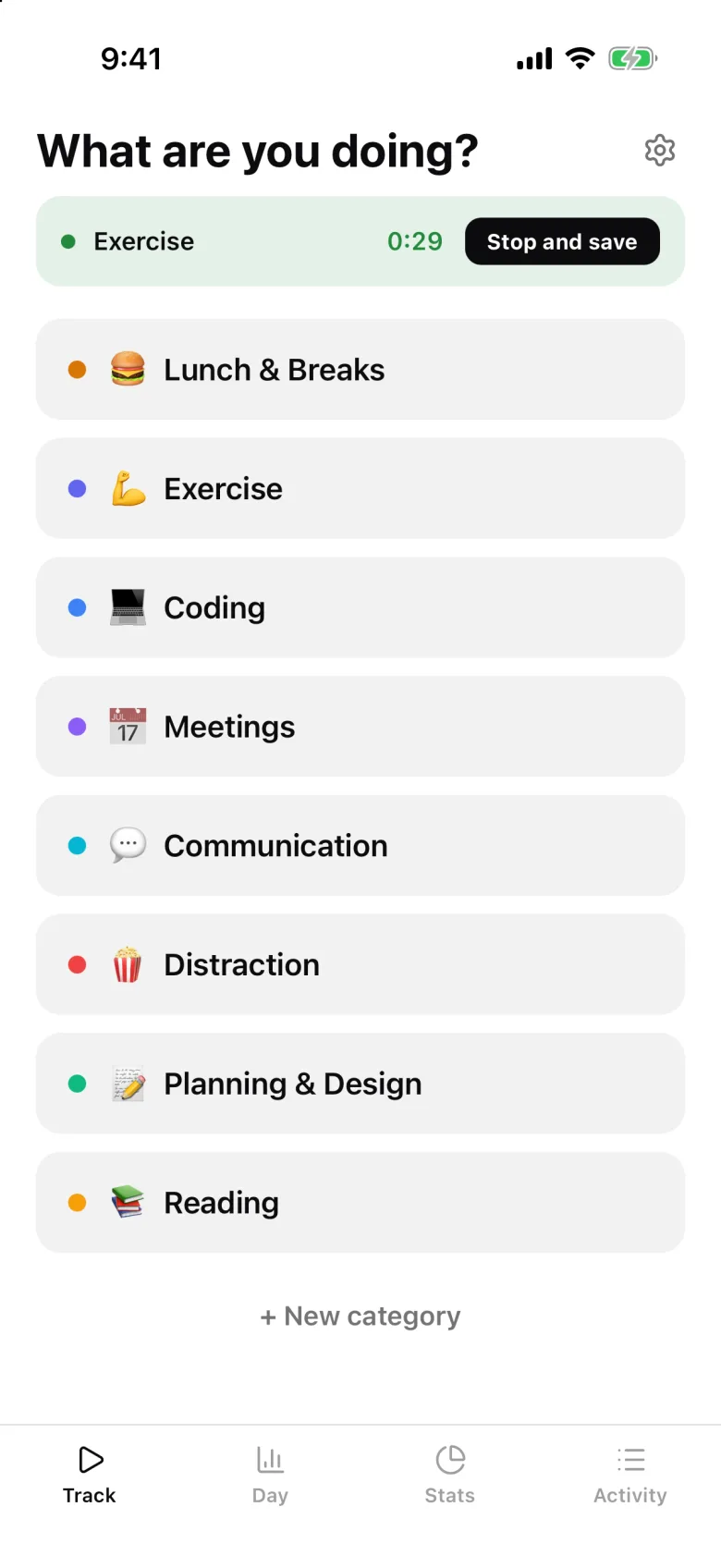
iPhone app
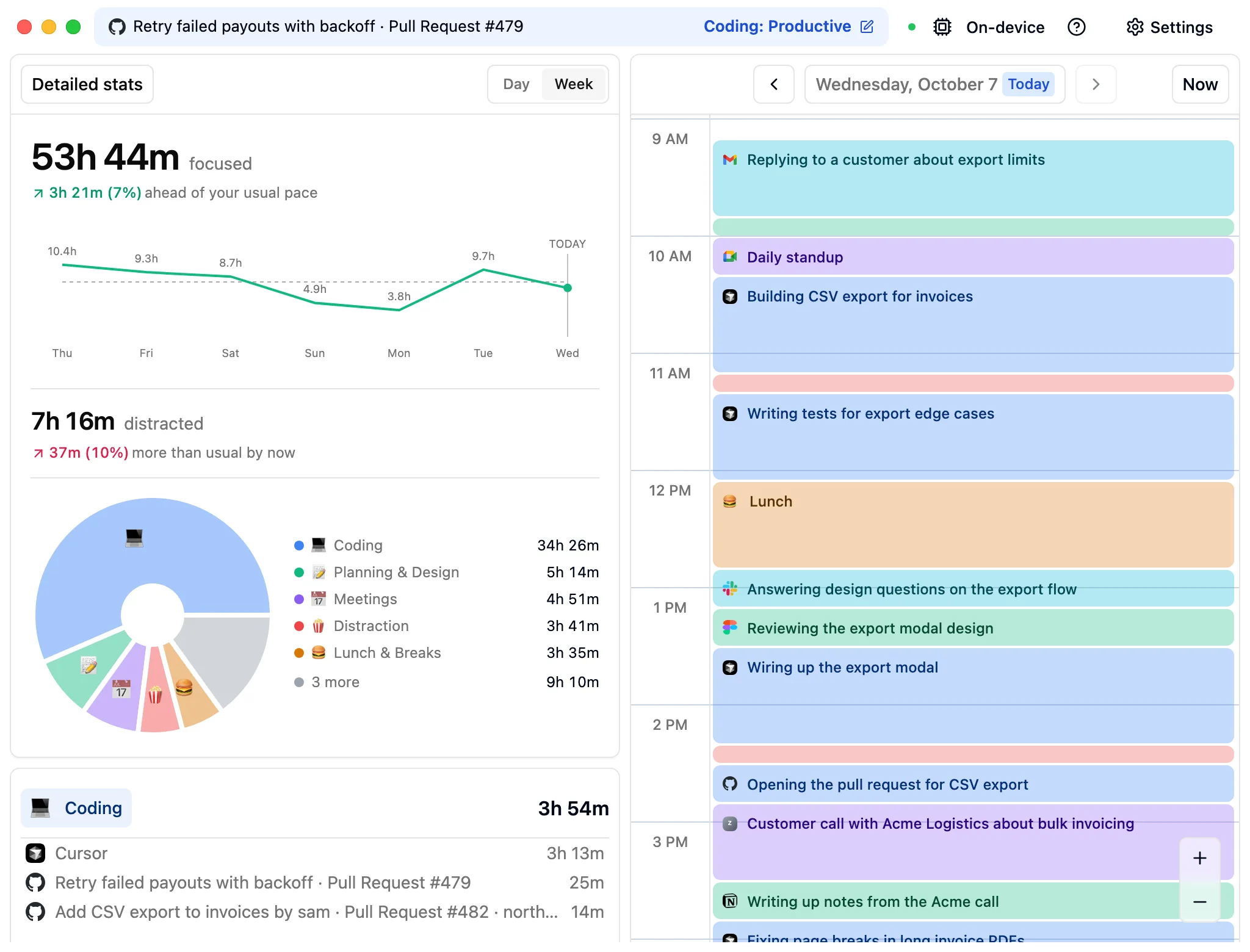
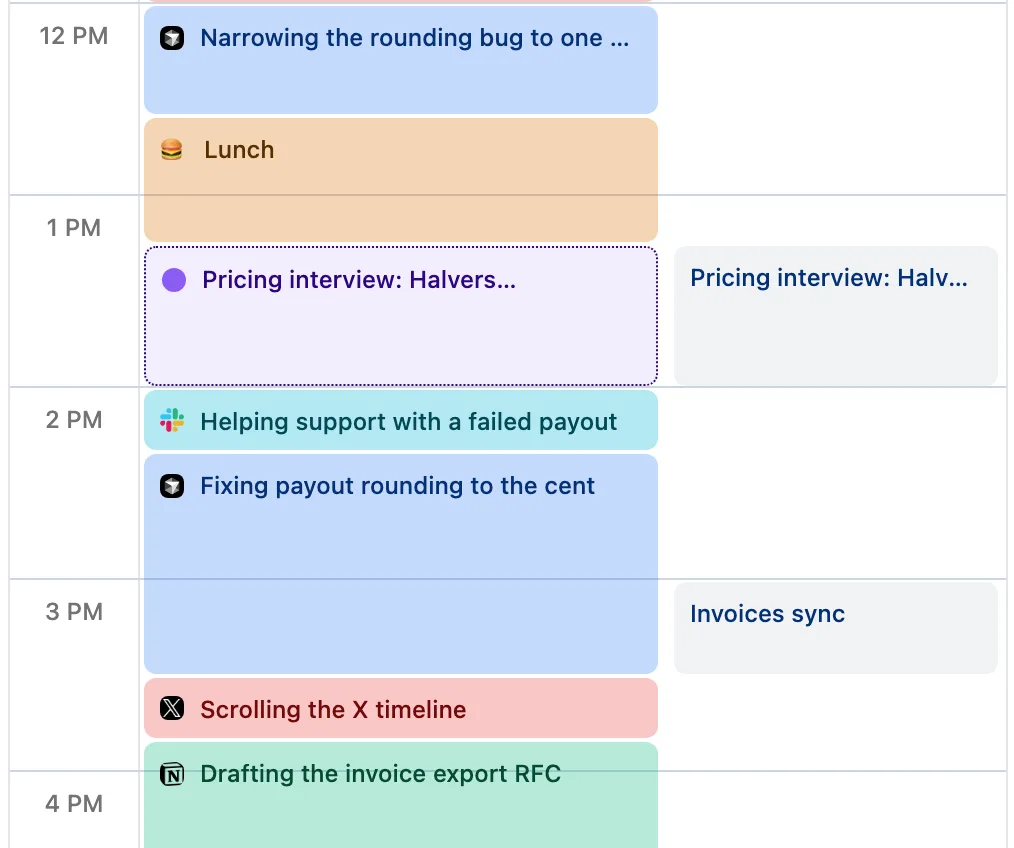
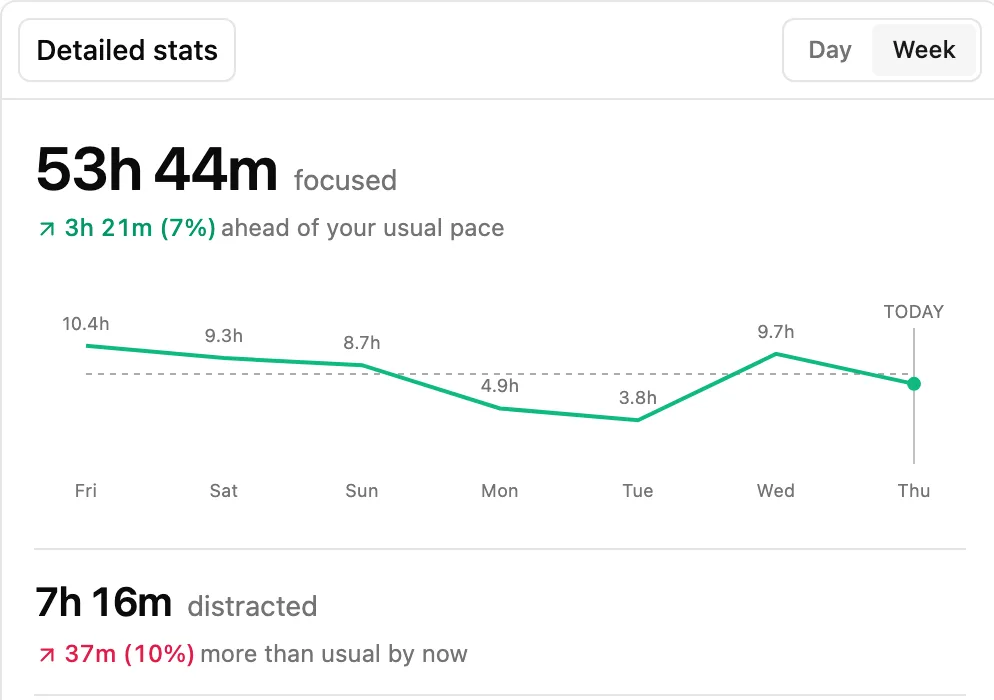
The Cronus dashboard: a week of focused and distracted hours, and today's calendar of tracked work
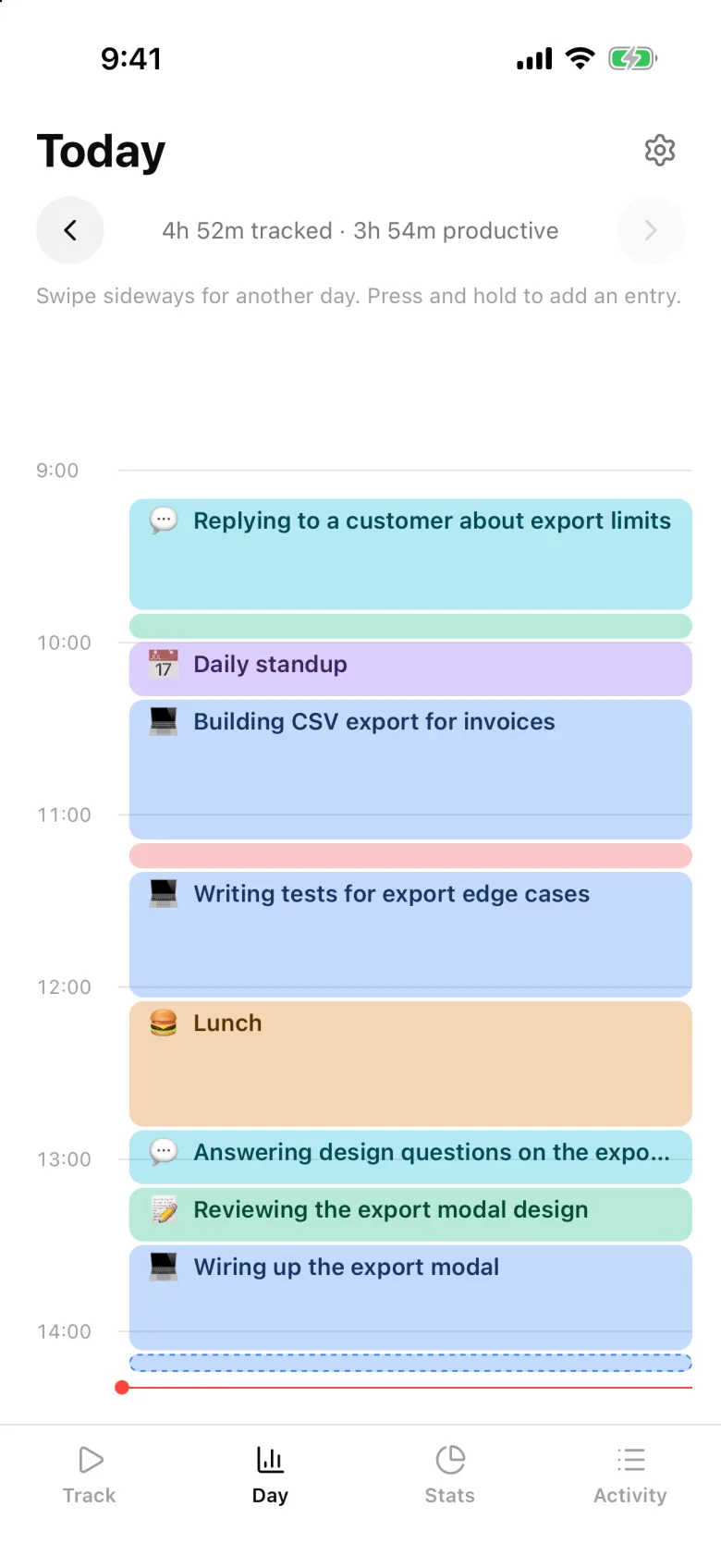
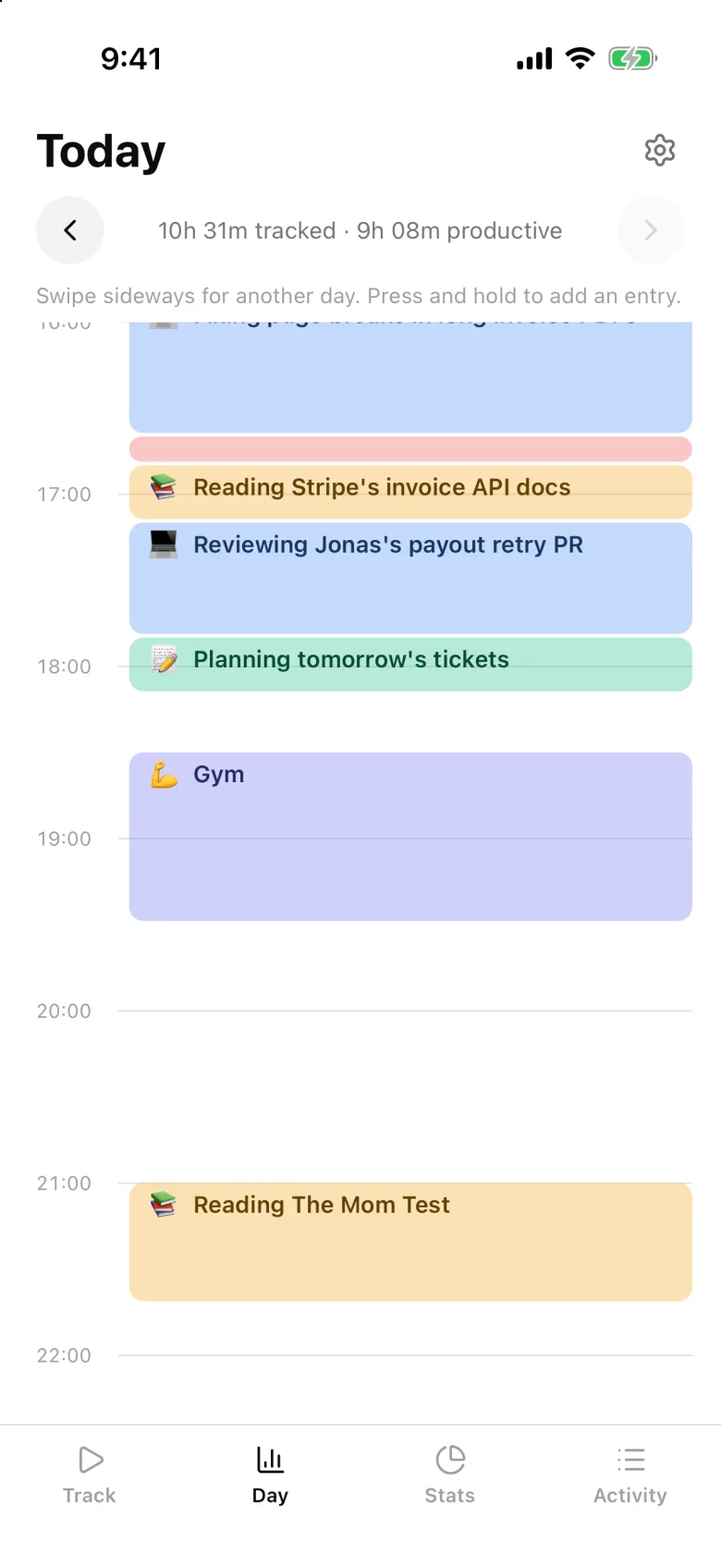
The Cronus iPhone app showing the same day as a timeline, including lunch logged from the phone

Your screen text never leaves your Mac

A model on your Mac reads it and picks the category. Only metadata syncs, so your iPhone shows the same day.

Stays on your Mac
Screen text, and the model that reads it
Syncs
App names, window titles, URLs, categories
Offline
Keeps tracking, and catches up when you're back online

How we built the on-device model

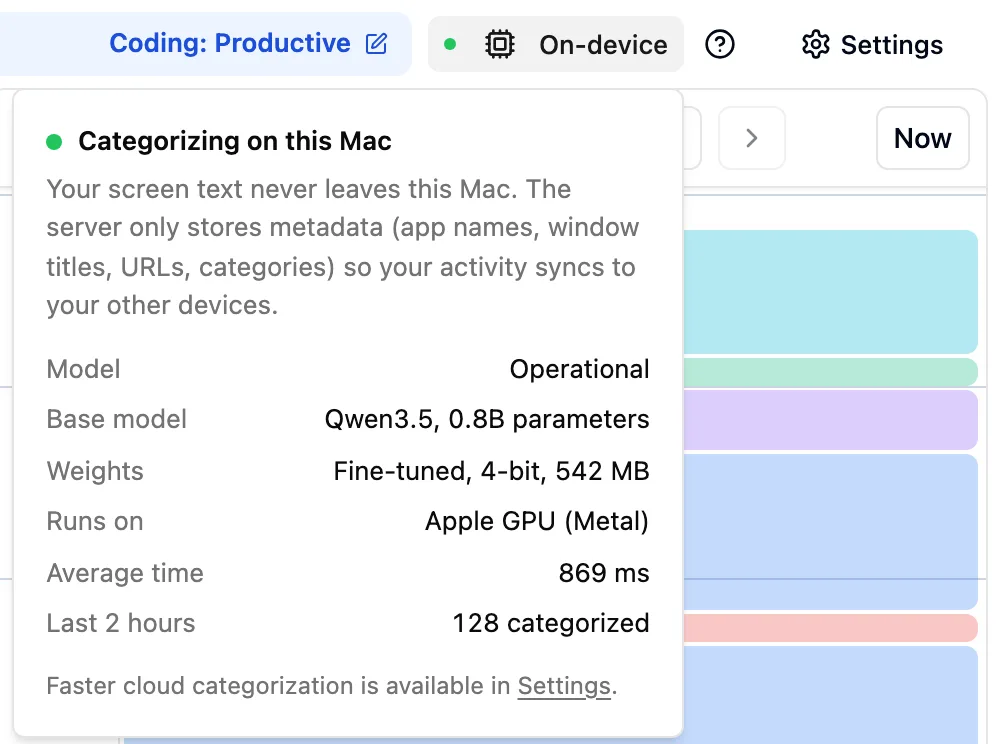
The On-device popover in Cronus: categorizing on this Mac with Qwen3.5 0.8B, fine-tuned and 4-bit, on the Apple GPU, 869 ms on average, 128 activities categorized in the last 2 hours
  • GDPR logo

    GDPR compliant

    Your data is protected under GDPR. Read our privacy policy.

  • You're in control

    Pause tracking whenever you like, and revoke Cronus's permissions at any time.

  • Prefer speed?

    Cloud categorization in Settings is about 3x faster, and still strips passwords and keys first.

What our users are saying

I thought I was working 12-hour days, but Cronus showed me the reality. After a gym session and lunch, I was surprised to see three hours had passed.

Luke Piette
Luke Piette
Head of Growth at Runpod

I used Rize for a while but found it overwhelming and slow. Tried out Cronus and instantly fell in love with the simplicity and speed. That’s how productivity tracking should feel like.

Leander Märkisch
Leander Märkisch
Founder of Floy

Cronus is refreshingly simple. Open it, and you instantly see where your time is going. It's easy to classify activities on the fly without getting bogged down in categories. The simplest and most effective time tracker I've used.

Koii Benvenutto
Koii Benvenutto
Product Manager at Trass Games

HUGE fan so far! Funnily enough, I had a 'holy shit, this product is going to be in my life for a long time' moment when I saw everything I'd done laid out in the calendar view.

Savannah Feder
Savannah Feder
Founder of Astral AI

Cronus showed me exactly how much time I wasted on Hacker News and other distractions. It’s also great for tracking work vs. learning.

Simon Berens
Simon Berens
Founder of Brighter

Cronus has completely transformed how I manage my time by automatically tracking my work and distractions with impressive accuracy - really helped me getting more done.

Frederik Feldmeier
Frederik Feldmeier
Software Engineer

As a PM, context switching is constant — meetings, docs, Slack, planning. Cronus helps me protect focus time and make better use of deep work hours.

Dominik Fink
Dominik Fink
Product Manager

I love having an overview of how much time I work on each one of my projects and Cronus does an amazing job at it. It also helps me stay focused, seeing the distraction timer pop up gets me back to work instantly.

Jona Schwarz
Jona Schwarz
Software Engineer

I thought I was working 12-hour days, but Cronus showed me the reality. After a gym session and lunch, I was surprised to see three hours had passed.

Luke Piette
Luke Piette
Head of Growth at Runpod

I used Rize for a while but found it overwhelming and slow. Tried out Cronus and instantly fell in love with the simplicity and speed. That’s how productivity tracking should feel like.

Leander Märkisch
Leander Märkisch
Founder of Floy

Cronus is refreshingly simple. Open it, and you instantly see where your time is going. It's easy to classify activities on the fly without getting bogged down in categories. The simplest and most effective time tracker I've used.

Koii Benvenutto
Koii Benvenutto
Product Manager at Trass Games

HUGE fan so far! Funnily enough, I had a 'holy shit, this product is going to be in my life for a long time' moment when I saw everything I'd done laid out in the calendar view.

Savannah Feder
Savannah Feder
Founder of Astral AI

Cronus showed me exactly how much time I wasted on Hacker News and other distractions. It’s also great for tracking work vs. learning.

Simon Berens
Simon Berens
Founder of Brighter

Cronus has completely transformed how I manage my time by automatically tracking my work and distractions with impressive accuracy - really helped me getting more done.

Frederik Feldmeier
Frederik Feldmeier
Software Engineer

As a PM, context switching is constant — meetings, docs, Slack, planning. Cronus helps me protect focus time and make better use of deep work hours.

Dominik Fink
Dominik Fink
Product Manager

I love having an overview of how much time I work on each one of my projects and Cronus does an amazing job at it. It also helps me stay focused, seeing the distraction timer pop up gets me back to work instantly.

Jona Schwarz
Jona Schwarz
Software Engineer

Cronus vs Rize, RescueTime and Toggl

The only one of the four whose AI runs on your Mac, and the cheapest paid plan.

FeatureCronusRizeRescueTimeToggl Track
Tracks without timersYesYesYesTimers, plus an app log you convert
AI sorts your time into categoriesYesYesNot stated on their siteNot stated on their site
Where the AI runsOn your MacTheir cloud (OpenAI, Anthropic)Not stated on their siteNot stated on their site
iPhone appYes, with Screen TimeNoYesYes
DistractionsNudges based on your goalsBlockerBlocking in Focus SessionsPomodoro timer
Price, billed monthly$6$12.99$9Free plan, or $12 per user
Free trial21 days of use7 days14 days30 days

Prices from each company's website, October 2026: cheapest plan for one person, billed monthly.

One plan, everything included

Free for the first 21 days you use Cronus. Days you don't open it don't count, and you don't need a card to start.

$6per month after the trial

  • Automatic tracking on your Mac, no timers
  • AI categorization that runs on your Mac
  • Nudges when you drift from your goals
  • iPhone app with phone time and time away from your desk
  • Your full history, with CSV export
Cancel any time.

Questions

cronus

Find out where today actually went.

Install it and get back to work. By tonight your day is filled in.

iPhone app