Best Rize.io Alternatives in 2026
Rize is a good product with a pricing page that has gotten away from it.
When we first wrote this comparison in 2025, Rize was one plan at $16.99 a month. As of August 2026 it is four: Basic at $12.99/mo, Pro at $28.99, Max at $49.99, and a custom-priced Enterprise tier. Every individual plan is metered by AI credits: 500 a month on Basic, 1,000 on Pro, 3,000 on Max.
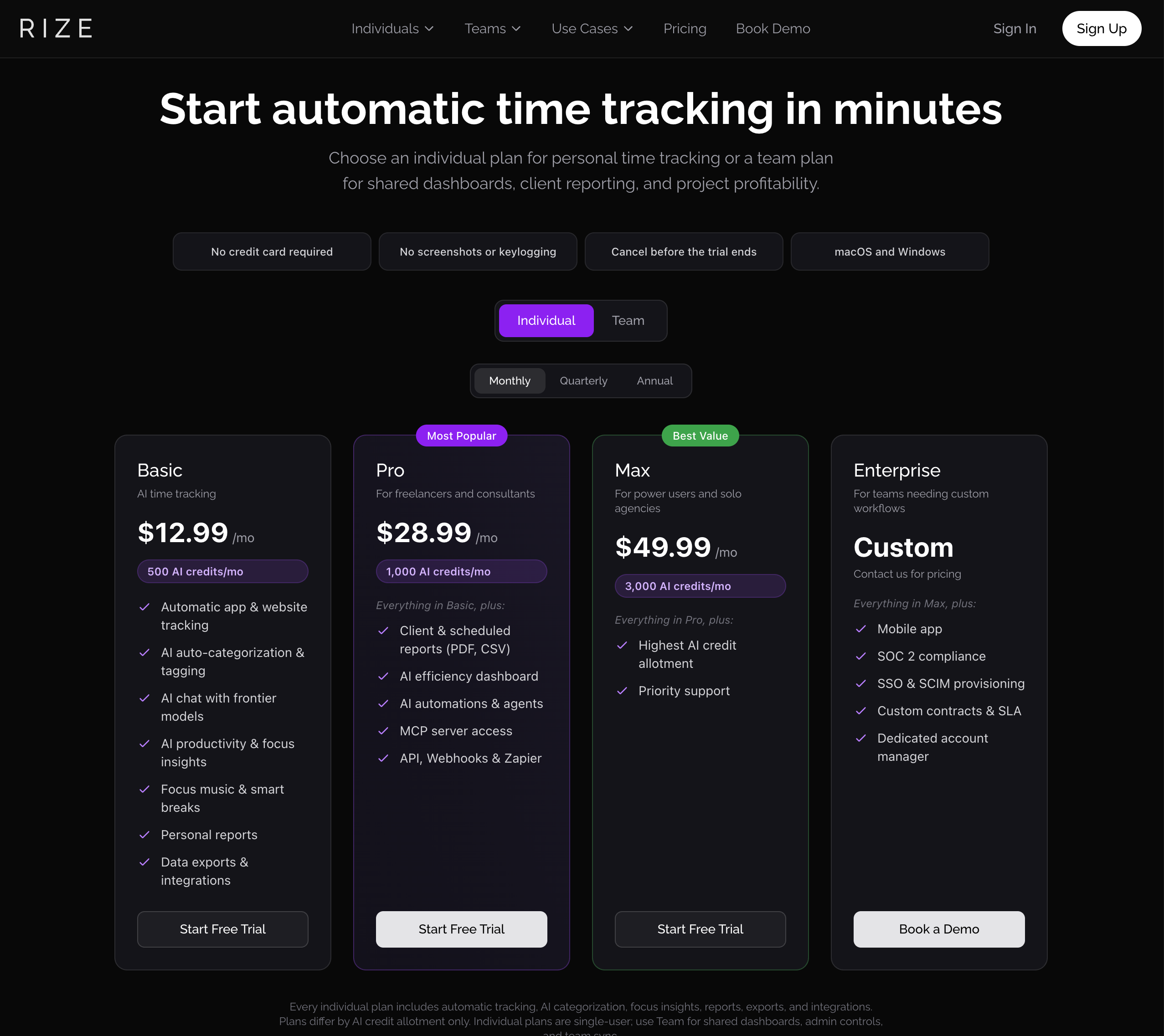
The most revealing thing on that page is the fine print at the bottom: "Plans differ by AI credit allotment only."
Read the Max column again with that in mind. Fifty dollars a month, and the only things it adds over Pro are a bigger credit balance and priority support. The AI categorization is the entire reason you install a tool like this, and Rize has turned it into a consumable you can run out of and then buy more of.
If you want something simpler, here is an honest survey of the alternatives.
First, credit where it is due
We are not going to tell you Rize is abandonware. It is not. The current build is 3.0.26, codesigned in July 2026, and they ship regularly. You can try it properly too: seven days, full access, no credit card.
The newer Pro capabilities are also real: MCP server access, an API, webhooks, scheduled client reports in PDF and CSV. If you need those, you need those.
We should also correct something we wrote in the earlier version of this post. We previously said Rize deletes your historical data when you downgrade. That is no longer accurate: their current policy is that you keep account access and can export your past data, and only new tracking stops. We were wrong to leave that up, and we have removed it.
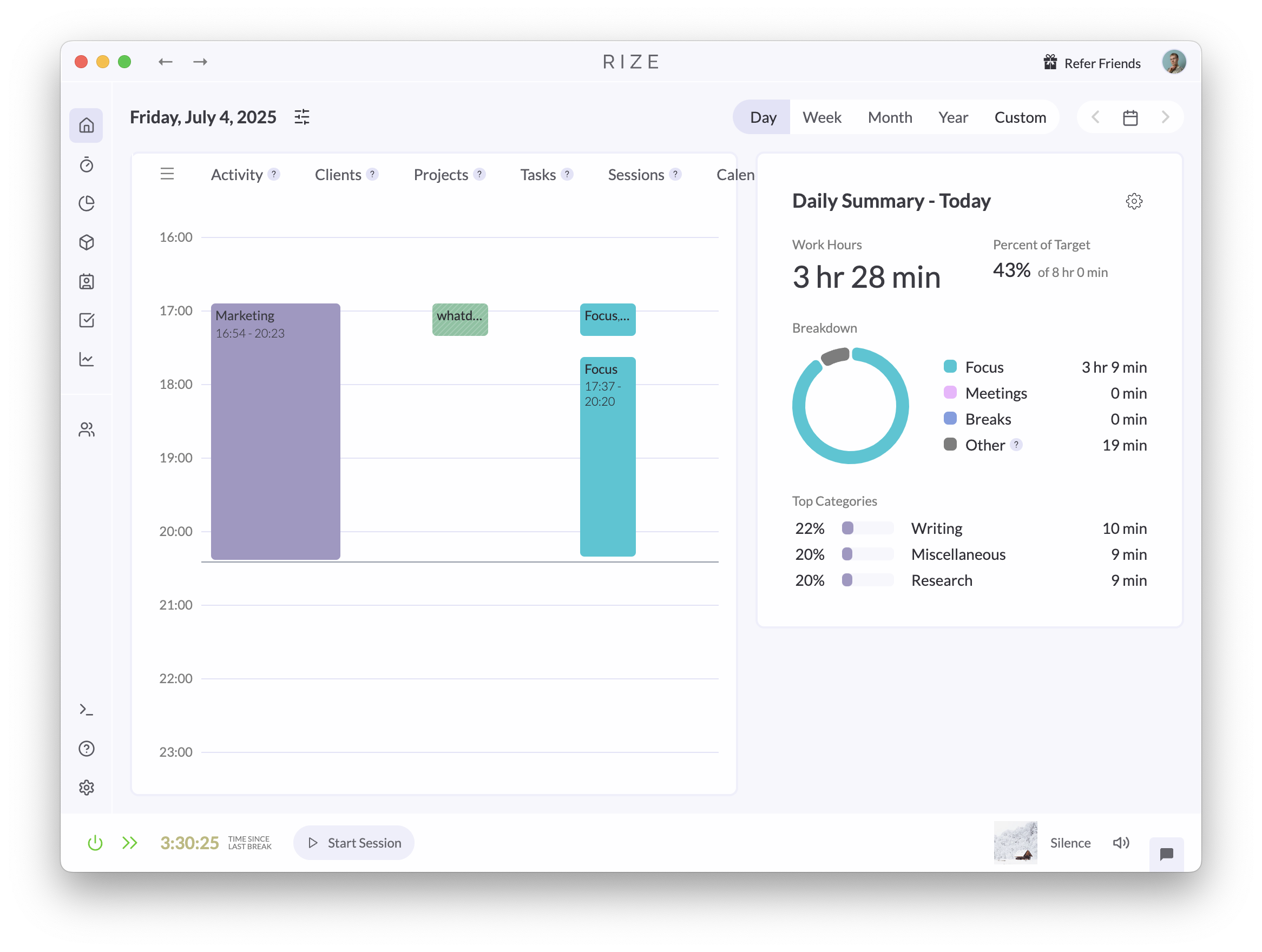
So the case against Rize in 2026 is not that it is bad or hostile. It is narrower and, we think, more damning for most people: it has become a lot of product to buy, meter, and manage in order to answer a simple question about your day.
What people actually leave Rize for
Across the feedback we see, the reasons cluster into three:
1. The pricing got complicated. Four tiers and a credit balance is a lot of decision-making for a personal productivity tool. Working out whether 500 AI credits covers your month is not a productivity activity.
2. Categorization still needs your help. Rize markets itself as AI-powered, and there is real AI in it now. But the underlying model is still substantially rule-driven, and when it meets a site or app outside its ruleset, it hands the problem back to you.
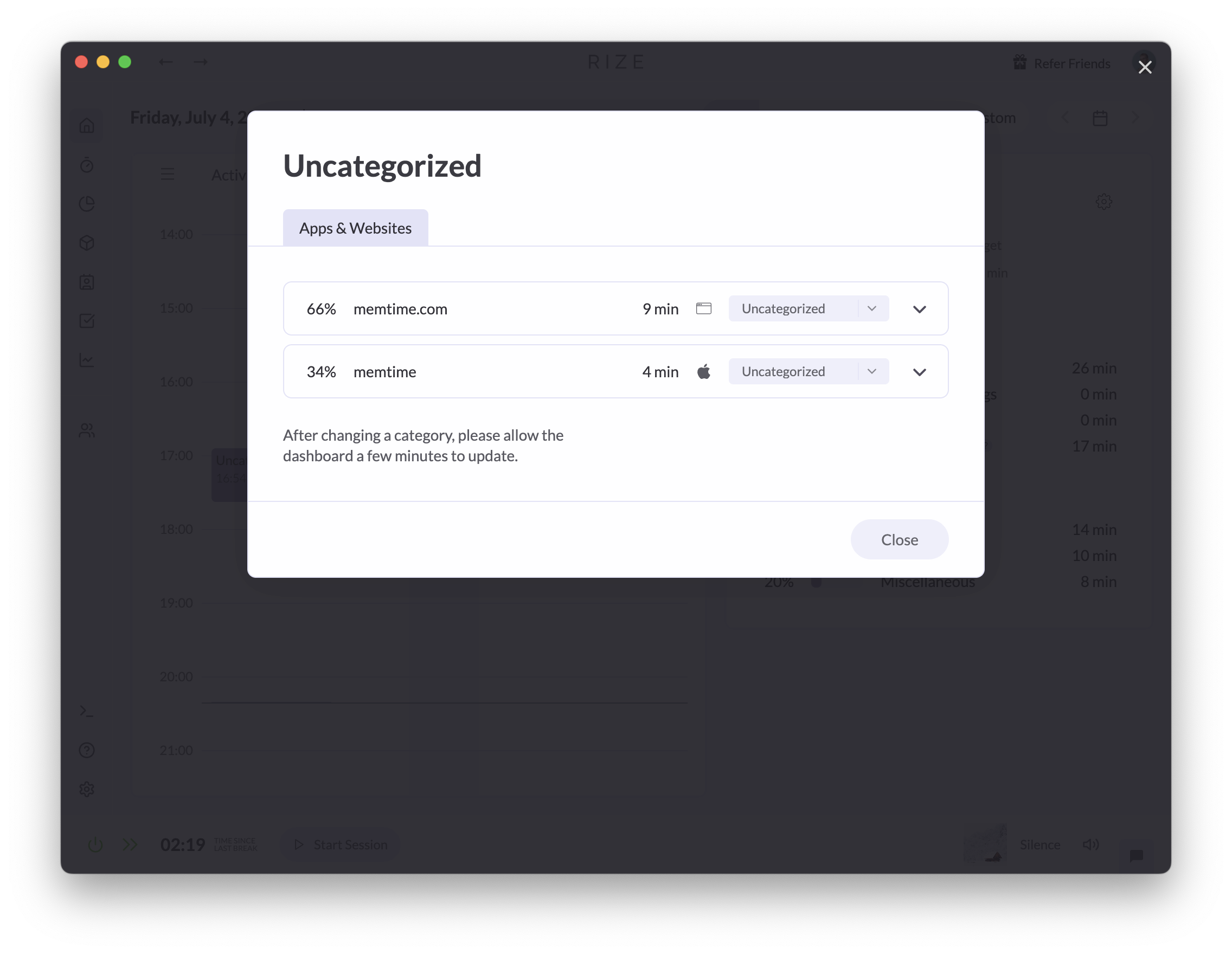
Every one of these prompts is a small tax. Individually trivial, collectively the reason people stop opening the app.
3. There is a lot of surface area. Look at what one Basic subscription now includes: automatic tracking, AI auto-categorization and tagging, AI chat with frontier models, AI productivity and focus insights, focus music, smart breaks, personal reports, data exports and integrations. Then Pro adds an efficiency dashboard, AI automations and agents, an MCP server, an API, webhooks and Zapier.
That is a platform. If you are an agency billing clients, some of it is exactly what you want. If you are one person who wants to know where your week went, you are paying for, learning, and navigating a product built for somebody else.
This is Rize's real problem, and in our view its biggest one. It is overloaded. Every screen has more in it than the job requires, and the job is not complicated: tell me where my time went. A tool that answers that should not require you to have opinions about credit allotments, focus music, and whether you need an MCP server.
The alternatives
1. Cronus: the simplest way out
Best for: individuals who want an accurate answer about their time without configuring anything or watching a credit balance.
Cronus does one thing. It watches which app and window you are in, works out what that means, and tells you where your time went. There are no tiers, no credits, no rule sets to maintain, and no Pomodoro timer you did not ask for.
What it does differently:
- Actually automatic categorization. Cronus reads the app name, window title and browser URL and uses an AI model to infer what you are doing from context, rather than matching against a list of known domains. New tools and unfamiliar sites get categorized without asking you.
- $6 a month, after a 21-day free trial. One price, no tiers and no credit meter. The trial only counts days you actually use it, so leaving it alone for a week costs you nothing.
- Goal-aware rather than rule-aware. You tell Cronus what you are trying to get done. It judges activity against that, so the same website can be work in one context and a distraction in another.
- Nudges, not blocks. Cronus does not slam a wall in front of a website. It tells you what is happening and lets you decide, which in our experience is the difference between a tool you keep and a tool you disable in week two.
- Calendar integration for offline time, so meetings and away-from-desk work land in the timeline.

On privacy, specifically. Rize's AI runs in the cloud, with OpenAI and Anthropic listed as subprocessors in its privacy policy. Cronus runs its AI on your Mac: a small model reads the app, window title and on-screen text and picks the category, and the screen text never leaves your Mac. Only metadata syncs to our servers (app names, window titles, URLs and the category each landed in). We are GDPR compliant, you can pause tracking whenever you want, and you can revoke permissions at any time. Details are in our privacy policy.
Where Cronus is not the answer: if you bill clients by project and need invoice-ready reports, or you need an API and webhooks, Rize Pro genuinely does things Cronus does not. We would rather say that than pretend otherwise.
2. RescueTime: the incumbent
Best for: people who want a long historical record and do not mind an older interface.
RescueTime has been tracking activity for well over a decade and the data collection is solid. It is cheaper than Rize Pro and the reporting is thorough.
The recurring complaint is that thorough is not the same as useful. The dashboard gives you a great deal of charting and comparatively little guidance about what to change, and the interface has aged. Categorization is automatic but shallow, so the same misfiles that push people away from Rize show up here too.
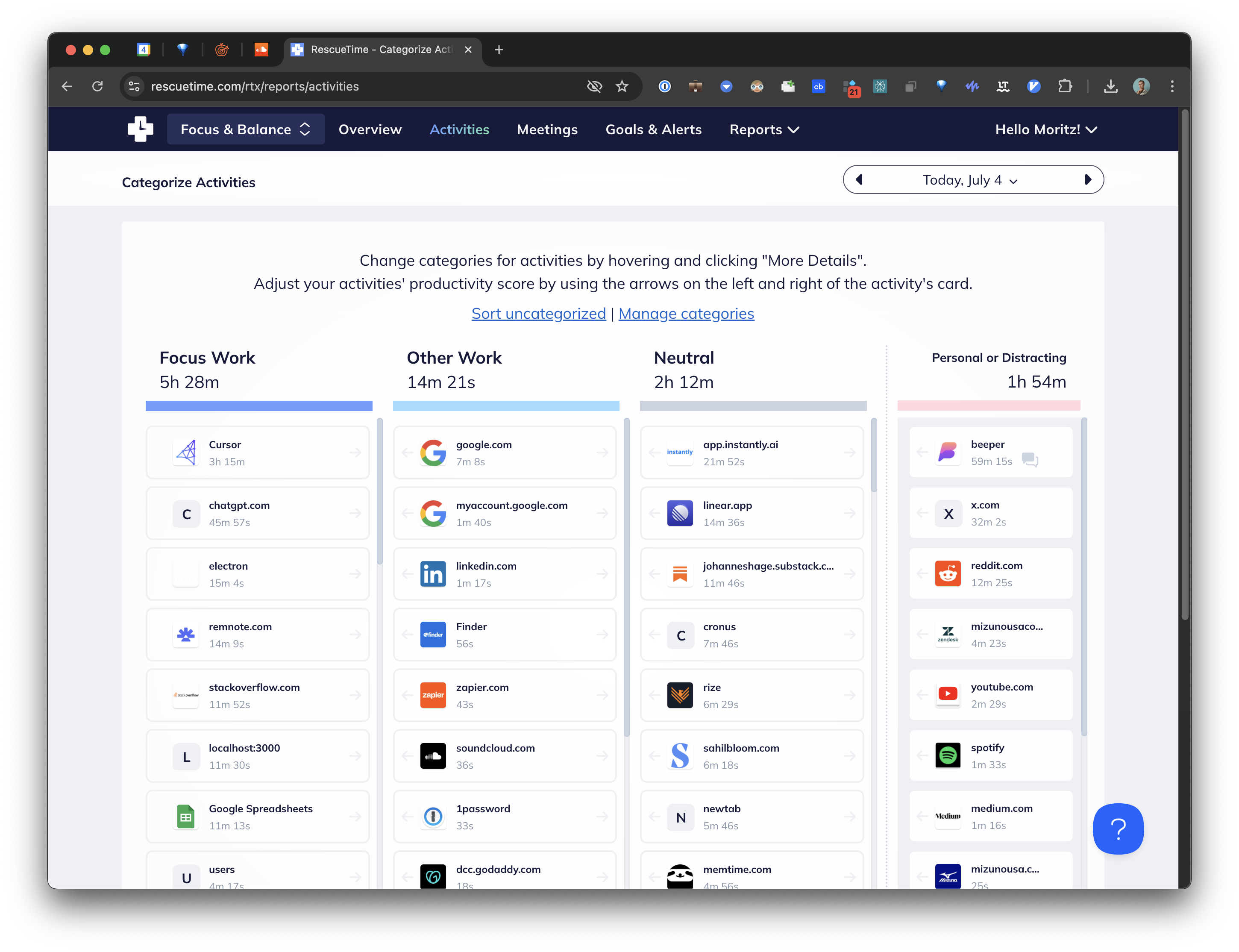
The macOS app is also not really a native experience so much as a wrapper, which shows.
3. Timely: the polished one, if you approve everything
Best for: consultancies and teams that bill by project and want AI to draft timesheets.
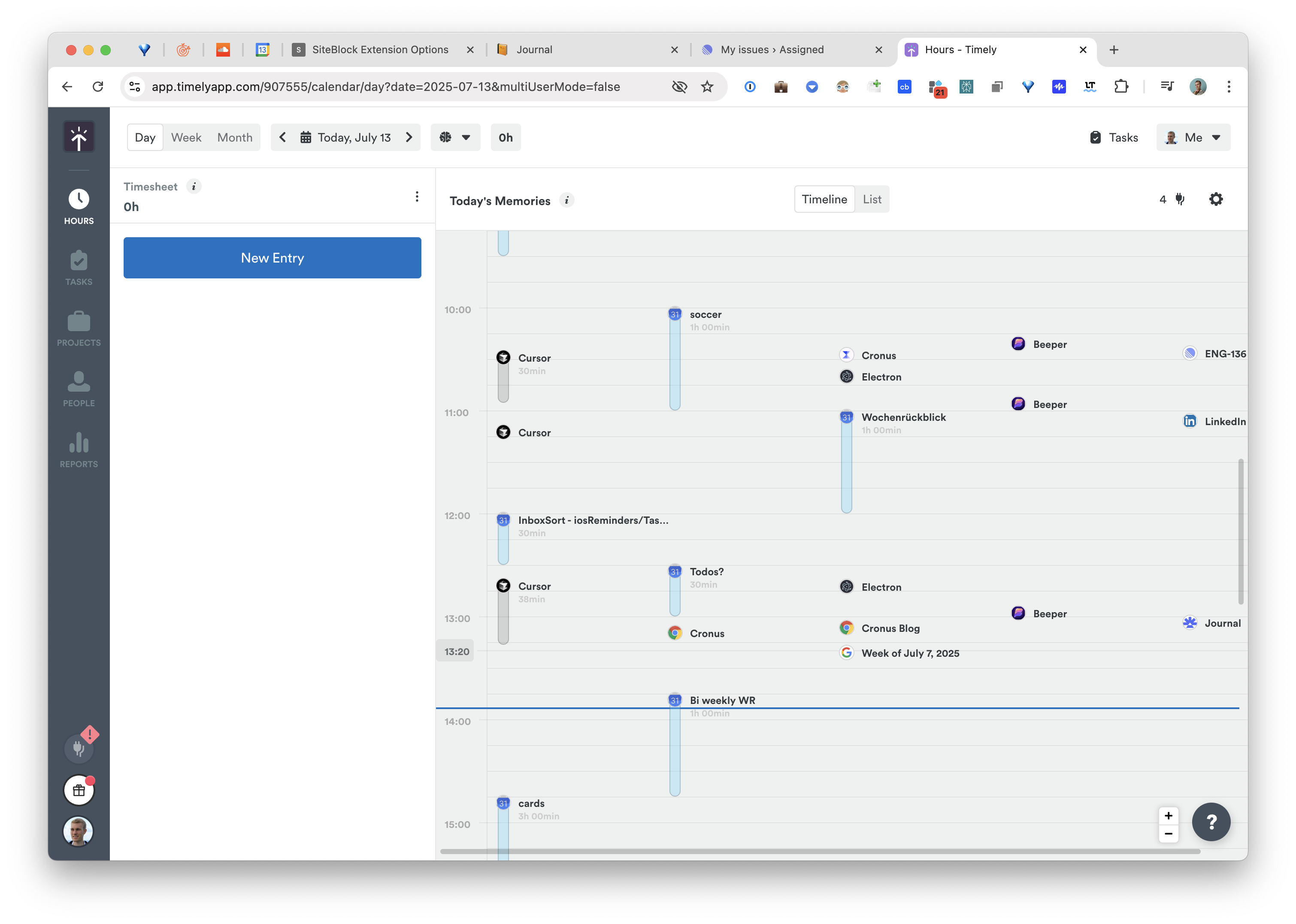
Timely's Memory app records activity in the background and its AI drafts timesheet entries you then approve. Starting around $11 per user per month, it is the most credible option here for team billing, and the calendar-style day view is the best-looking in the category.
The catch is in the word "approve." Timely's AI proposes and you dispose, on every entry. For a consultancy where those entries become an invoice, that review step is a feature and worth the money. For an individual who wants to glance at where the week went, it is a daily chore attached to a tool that promised to remove one.
4. Memtime: local-first, but you do the thinking
Best for: people whose main requirement is that nothing leaves the machine.
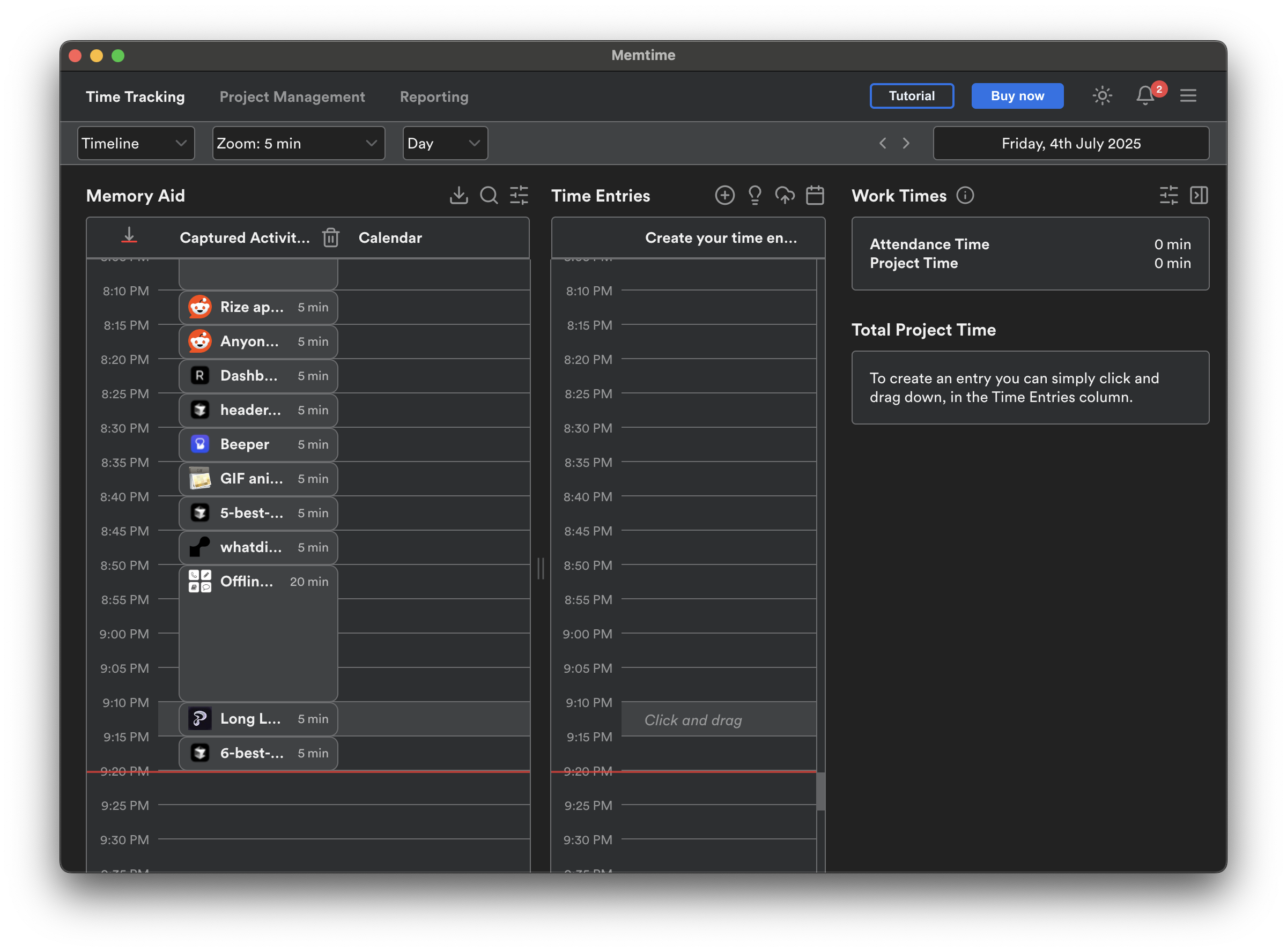
Memtime captures application activity and window titles entirely on-device. Nothing is processed server-side, which is the strongest local-only guarantee in this group.
The trade is that Memtime does no interpretation. Memtime shows you a very complete timeline of what happened and leaves the question of what it meant to you. If you want automatic understanding rather than automatic recording, that gap matters.
5. ActivityWatch: free and open-source
Best for: people who would rather own the problem.
ActivityWatch is free, open-source, and fully local. It records active applications, window titles, browser activity via extensions, and AFK time, and it will happily run forever without a subscription.
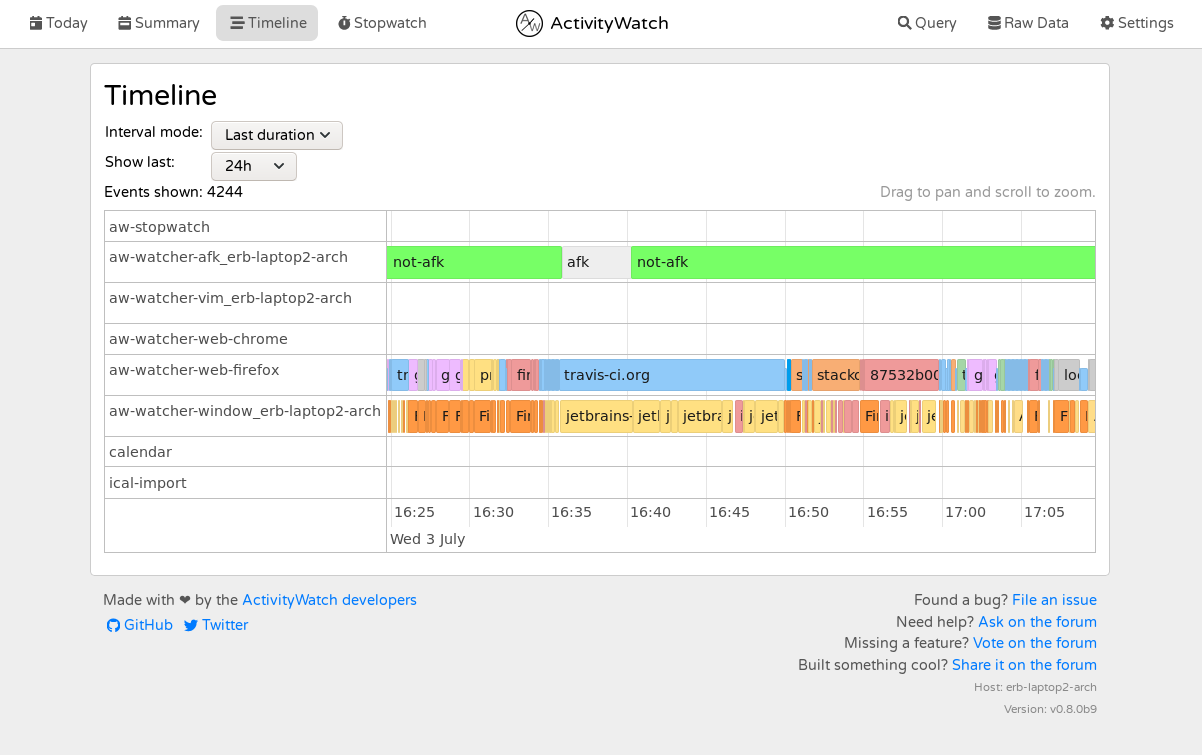
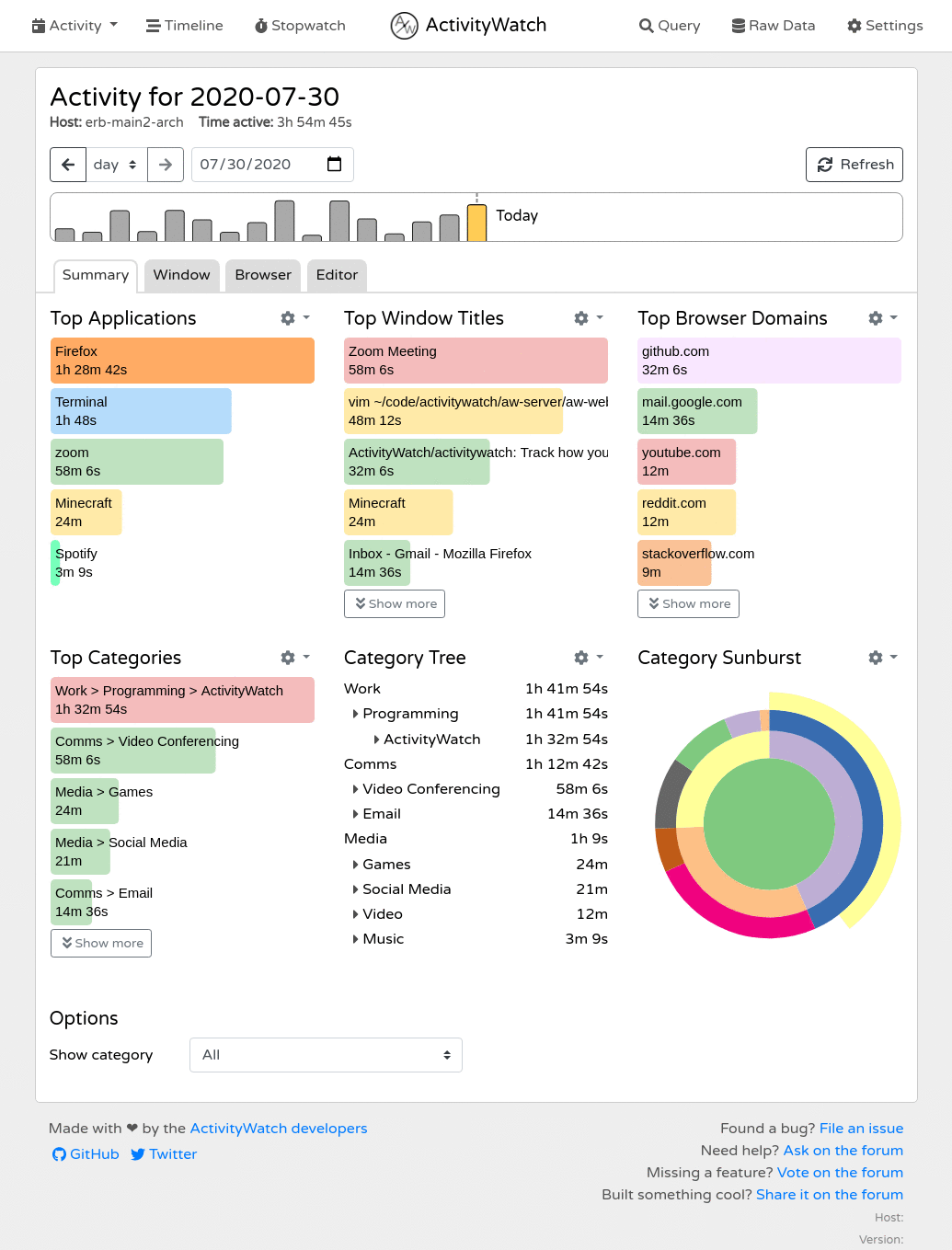
It is also raw. You get event data and basic dashboards, not interpretation, and getting real insight out of it means either building your own views or accepting a fairly coarse picture. Excellent if you enjoy that. Frustrating if you wanted an answer rather than a dataset.
Quick comparison
| Price | Truly automatic categorization | Credits/metering | Screen captured | |
|---|---|---|---|---|
| Cronus | $6/mo | Yes, AI from context | No | No |
| Rize | $12.99–$49.99/mo | Partly, rule-assisted | Yes, AI credits | No |
| RescueTime | $9/mo ($7 annually) | Automatic but shallow | No | No |
| Timely | ~$11/user/mo | AI drafts, you approve | No | No |
| Memtime | Paid | No, recording only | No | No |
| ActivityWatch | Free | No, raw events | No | No |
How to choose
Be honest about which of these you are:
- You bill clients by project. Timely, or Rize Pro. The approval step is the product, not a bug.
- You need an API, webhooks, or SOC 2. Rize Pro or Enterprise. Cronus does not compete here.
- Nothing may leave your device, at any cost. Memtime or ActivityWatch, and accept that you will be doing the interpretation.
- You want to know where your time actually goes, with no setup and no billing decisions. That is what we built Cronus for.
For Rize itself rather than the alternatives -- what it costs, what the AI credits mean and where it genuinely wins -- see our Rize review.
If you are still working out what "AI" buys you over plain automatic tracking, and what each kind of tool can actually see, our explainer on AI time tracking covers the three architectures and how accurate each one is.
Making the switch
If Rize's tiers and credit balances are the reason you are reading this, the migration is not much of a migration. Install Cronus, grant two macOS permissions, and it starts categorizing immediately. There is no rule set to port over because there is no rule set.
Download Cronus and see what your week actually looked like.
