Best RescueTime Alternatives in 2026
RescueTime has been tracking activity for the better part of two decades. That longevity is real and worth respecting: the data collection is solid, the pricing is the most reasonable of the paid incumbents ($7/mo annually for Focus, $12/mo for Solo+), and there is still a free Lite tier, which almost nobody else offers.
So why do people leave?
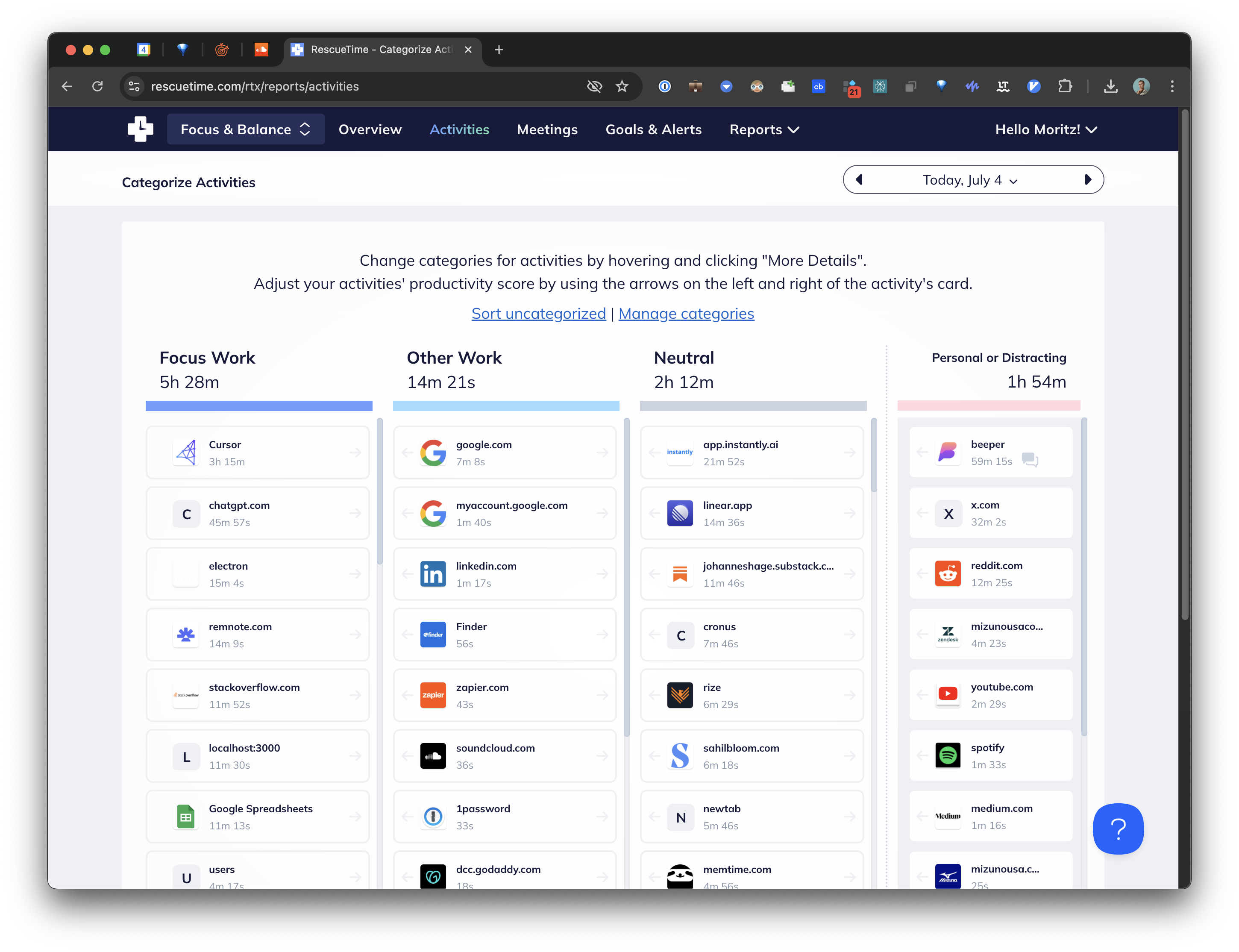
Almost always for the same reason. RescueTime is very good at telling you what happened and not very good at telling you what it meant. That gap between recording and interpreting is the whole of what AI time tracking is trying to close, and it is worth understanding before choosing a replacement. You open the dashboard, you find a wall of charts, and you close it again without having decided anything.
If that is your experience, here is where to go.
What is actually wrong with RescueTime
Being specific helps you pick a replacement that fixes your problem rather than a different one.
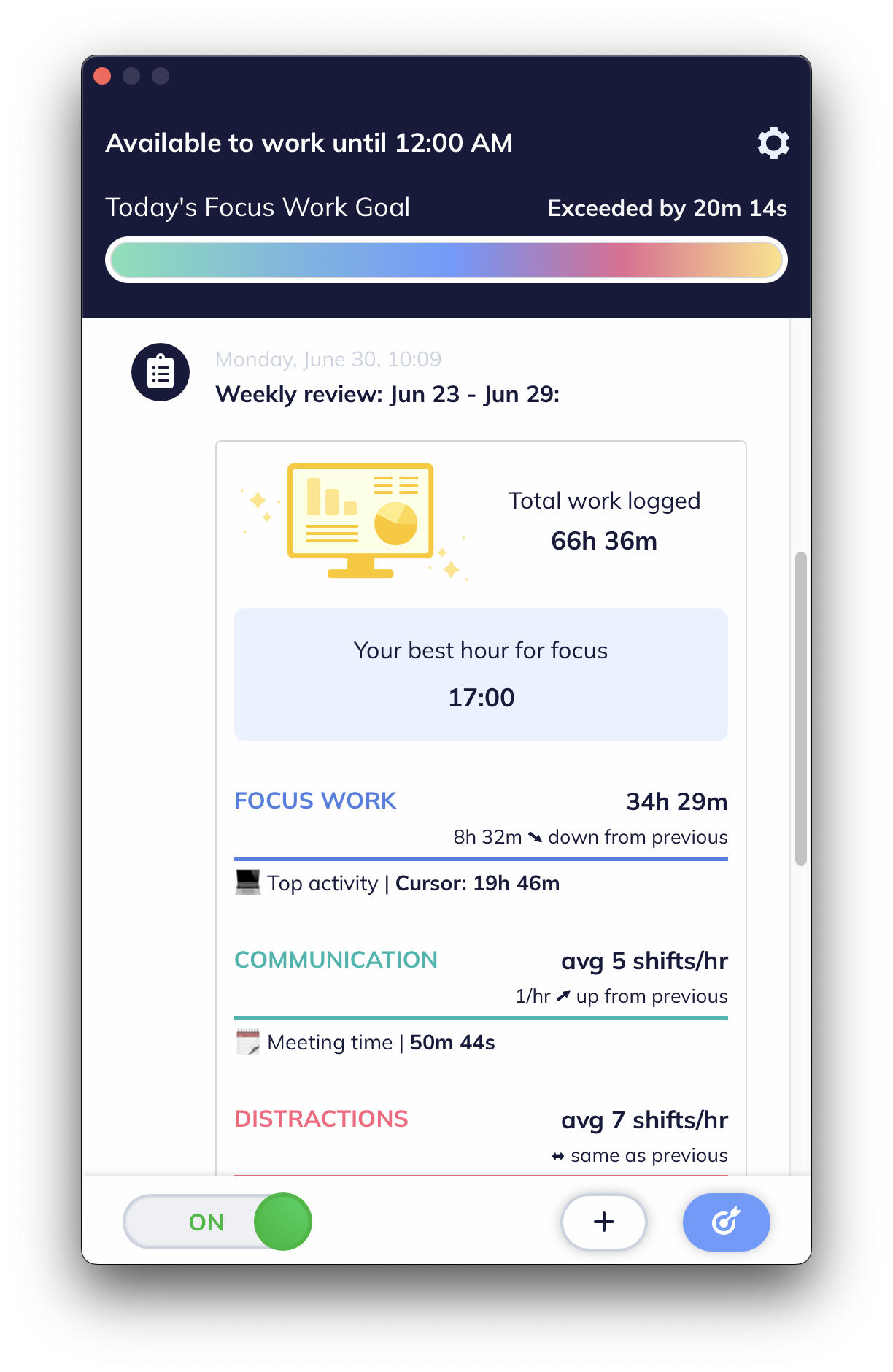
The categorization is shallow. RescueTime scores activity on a productivity scale using broad category defaults. It knows a domain is "Social Networking" but not that you were on LinkedIn recruiting for an open role, which is work. Fixing that means maintaining your own category rules forever.
The reports do not lead anywhere. There is a lot of charting and very little "so here is the thing to change." Several long-running complaint threads describe the reports as difficult to derive anything actionable from.
The interface is dated. Nearly two decades of accumulated UI, and it feels it.
Mobile and desktop are siloed. Two datasets, no unified picture. The macOS app is closer to a repackaged mobile app than a native one.
Notice that only one of those is about data collection. RescueTime's problem is interpretation, so the alternatives worth considering are the ones that interpret.
1. Cronus: the direct fix for the interpretation problem
Price: $6/mo after a 21-day free trial
Cronus is the closest thing to "RescueTime, but it understands what you were doing."
The mechanism is different in a way that matters. Instead of scoring domains against a fixed productivity scale, Cronus reads the app, the window title and the URL, and uses an AI model to work out what that activity means in the context of what you are trying to get done. You tell it your goals. It judges against them.
The practical consequence is the LinkedIn case above. Same site, same person, different weeks: recruiting is work, scrolling is not. A category-based system has to pick one answer and be wrong half the time. A context-based one does not.

What else is different from RescueTime:
- Nothing to maintain. No category rules, no keyword lists. New tools get classified correctly the first time you open them.
- Nudges instead of dashboards. Cronus tells you when time is going somewhere you did not choose, while it is happening. That is worth more than a weekly email.
- Free, with no tiers.
- No screen capture. Window metadata only, sensitive information redacted on device before anything is transmitted, GDPR compliant. Pause or revoke permission whenever you like. See our privacy policy.
Where RescueTime still wins: it has your history. If you have years of RescueTime data and that continuity is the point, that is a real reason to stay. It also has FocusTime blocking, which Cronus deliberately does not do, and a mobile app.
2. Rize: more features, considerably more money
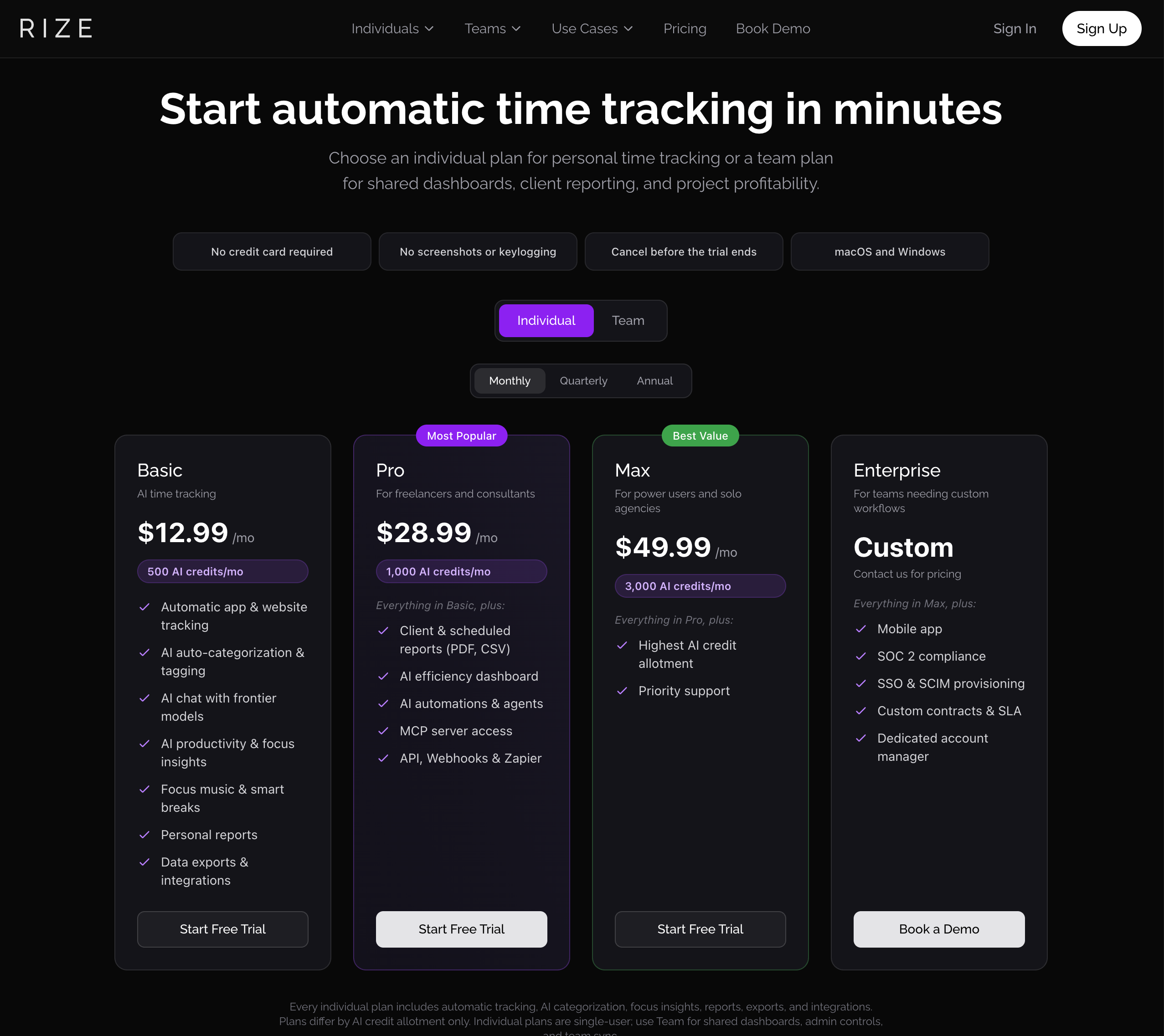
Price: $12.99 / $28.99 / $49.99 per month
Rize is the obvious upmarket move from RescueTime, and it is a genuinely more modern product: better looking, better focus tooling, more capable on the reporting side.
It is also four tiers metered by AI credits, and its own pricing page notes that plans "differ by AI credit allotment only."
If RescueTime's problem for you was that it felt dated, Rize fixes that. If the problem was that you never got a clear answer out of it, be careful: Rize gives you considerably more product, not necessarily more clarity, and its categorization still hands you a dropdown when it meets something unfamiliar.
We wrote more about this in Best Rize.io Alternatives in 2026.
3. Timely: if the real goal is billing
Price: from around $11 per user per month
Some people are using RescueTime as a stand-in for timesheets, which it was never built for. If that is you, Timely is the correct product. Its Memory app records in the background and its AI drafts entries you approve, and those entries turn into invoices.
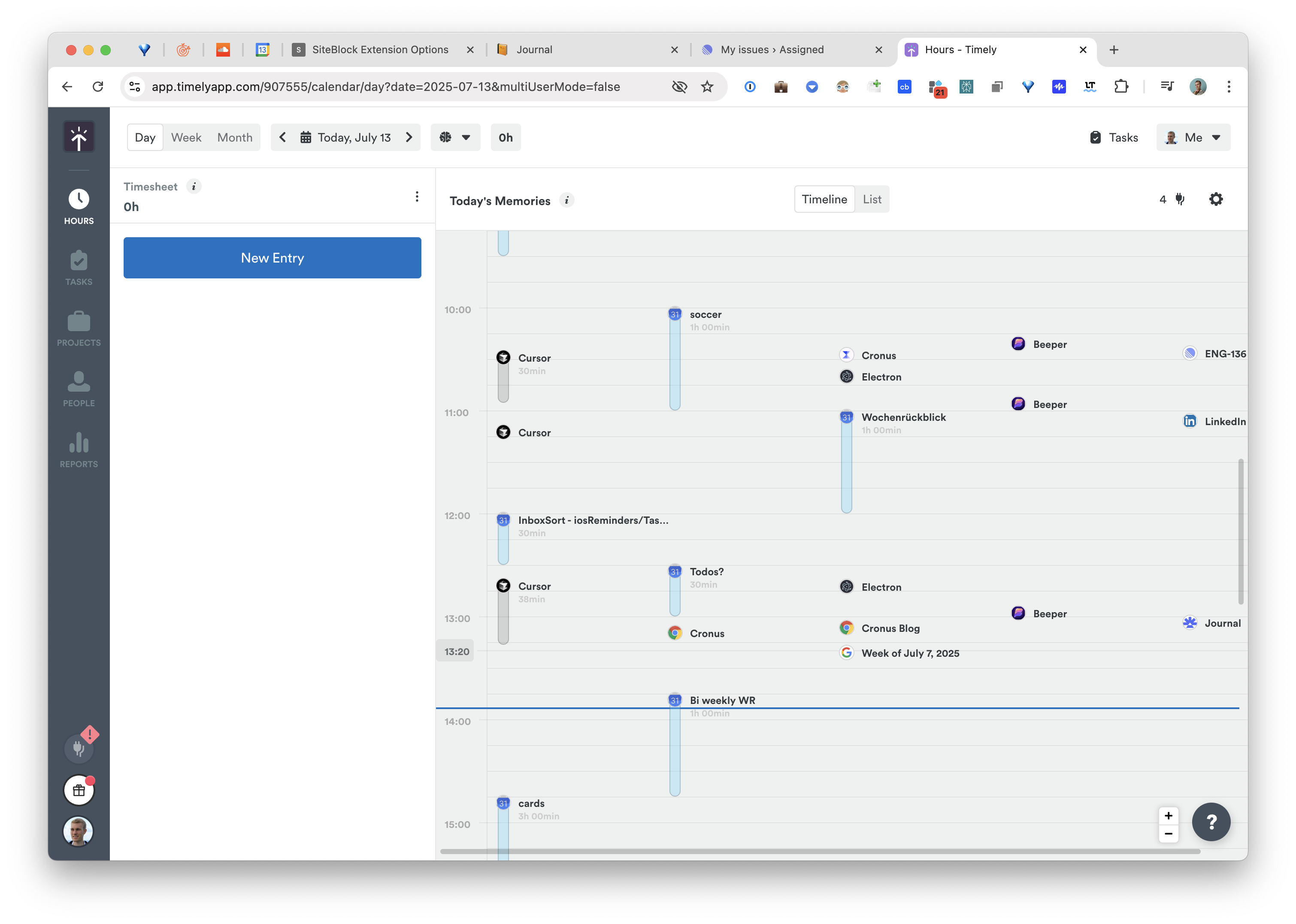
The approval step that annoys individuals is exactly what you want when the output is a client bill.
4. ActivityWatch: free, open-source, and completely yours
Price: free, forever. Open-source and self-hosted.
If what drove you off RescueTime was paying a subscription to have your activity stored on someone else's server, ActivityWatch is the answer. Open-source, fully local, tracks apps, window titles, browser activity and AFK time.
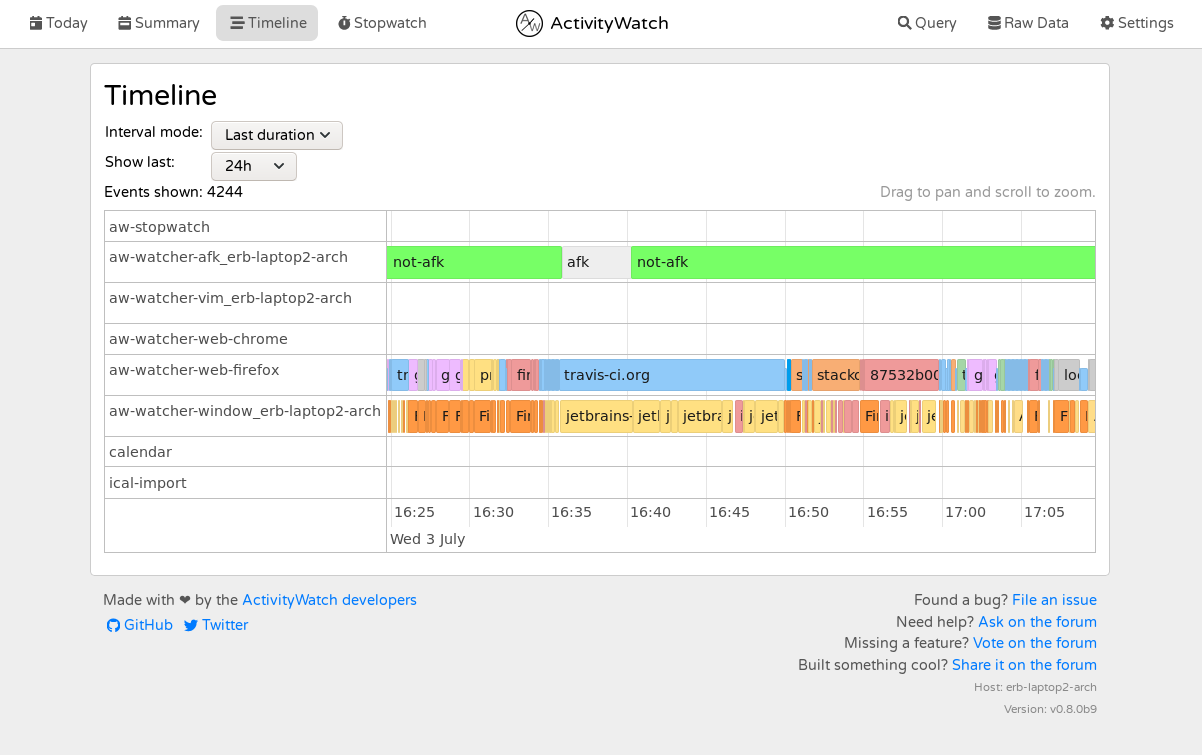
Understand the trade, though: ActivityWatch has less interpretation than RescueTime, not more. If your complaint was "the reports do not tell me anything," this will make that worse, not better. Choose it because you want ownership, not because you want insight.
5. Toggl Track: if you would rather drive
Price: free tier plus paid plans
A real option that people overlook: some users bounce off automatic tracking entirely because they do not trust a machine's judgment about their day.
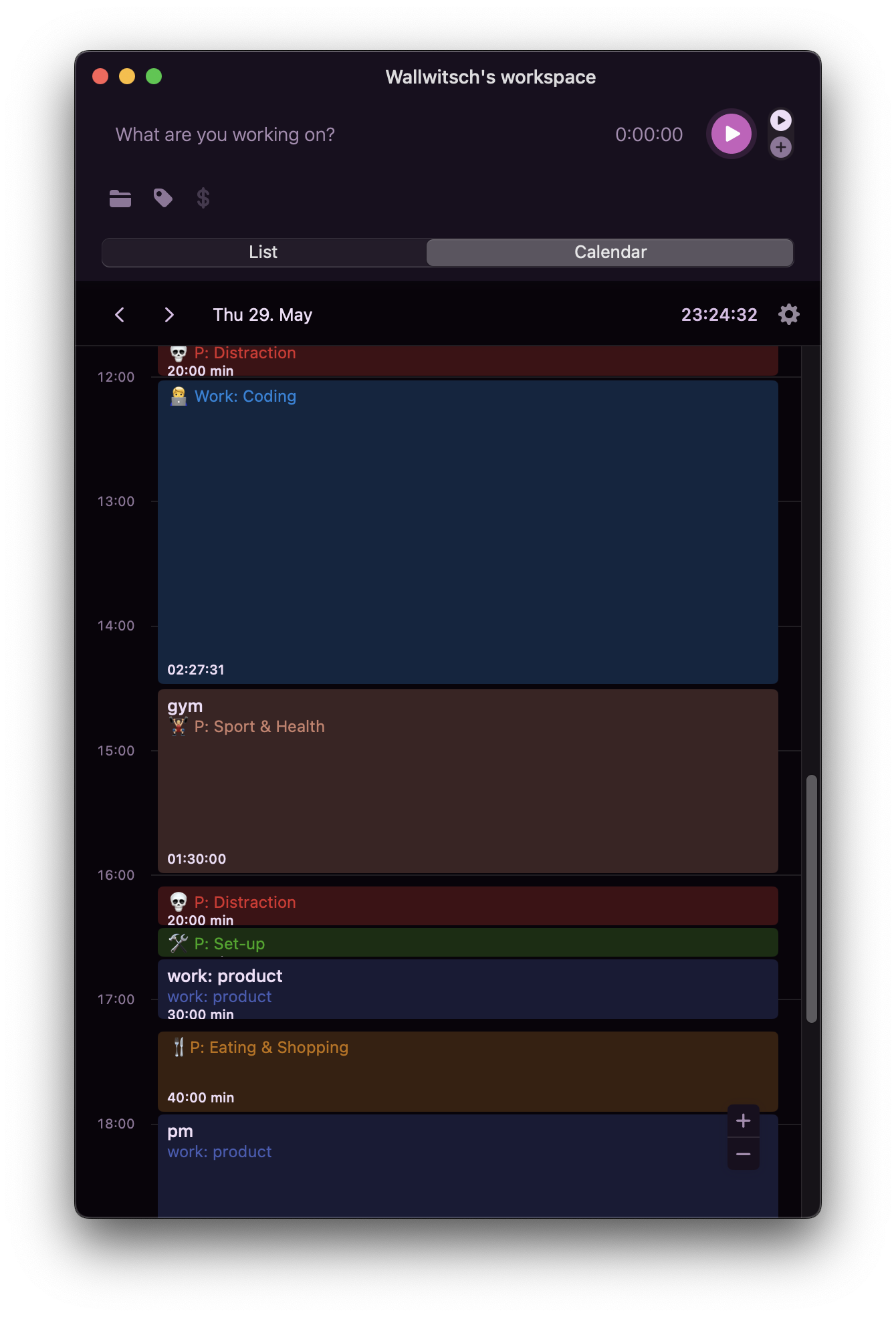
Toggl is the best manual tracker there is, with a generous free tier and strong reporting. You start the timer, so the data is exactly as good as your discipline. There is now an AI Autotracker that suggests entries from behaviour and calendar, but the model is still that you are in charge.
Which one
- "The reports never told me what to change." Cronus. That is the specific problem it exists to solve.
- "It felt old and I want something modern with focus tools." Rize, if you are comfortable with the pricing.
- "I actually needed timesheets." Timely.
- "I do not want my data on a server." ActivityWatch, and accept you are doing the analysis.
- "I do not trust automatic tracking at all." Toggl.
Switching
There is no import path from RescueTime into anything on this list, so the honest advice is to export your history for the record and start fresh. With Cronus that means installing it, granting accessibility permission, and telling it what you are working on. There are no categories to rebuild, because there are no categories to maintain.
Download Cronus and see a week that explains itself.
