Toggl Alternatives for People Who Forget to Start the Timer
Toggl is excellent. The reporting is strong, the integrations are everywhere, the free tier is the most generous in the category, and the apps are fast and pleasant.
None of that helps if you do not press the button.
If you are reading this, you probably already know the pattern: a good week of tracking, then a day you forget to start it, then a day you forget to stop it and log nine hours on one task, then a timesheet you know is wrong, then you stop opening the app. The tool worked perfectly. You just were not able to feed it.
This post is about what to use instead, and it is worth being clear that this is a real category of person rather than a character failing.
Why forgetting the timer is not a discipline problem
The action Toggl needs is required at the exact moment your attention is moving somewhere else. Starting a timer is an administrative task about a context switch, performed during the context switch, which is when you have the least capacity to spare.
There is a specific reason this fails in a way that is hard to notice. You do not end up with a blank timesheet, which would at least be honest. You end up with a plausible-looking one that is missing the chaotic hours, because those are the hours you forgot to log. The tool then quietly reports that your week was calmer and more focused than it was.
That bias is worse than having no data, because it looks like data.
If any of this sounds familiar, time blindness explains the underlying mechanism, and ADHD and time tracking covers why manual methods fail some people much harder than others.
Toggl's own answer, first
Give them credit: Toggl has tried to fix this.
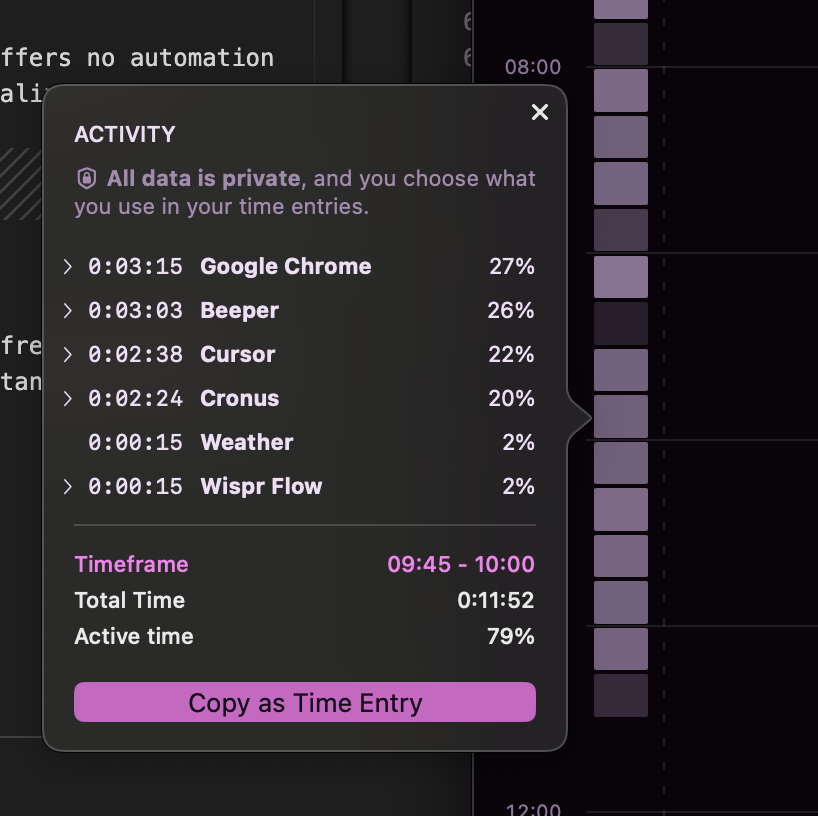
The macOS activity block records what you were doing in the background, so you can reconstruct forgotten time after the fact rather than losing it.
AI Autotracker suggests entries based on your behaviour and calendar.
Both genuinely help, and if you are otherwise happy with Toggl they are worth turning on before you switch anything. The limit is that both are still reconstruction: you go back and fill in gaps from a record of app usage. That is a smaller version of the same chore, done later, and "later" is when it stops happening.
What to use instead
Cronus, if you want to stop feeding it entirely
Price: $6/mo after a 21-day trial · macOS
There is no timer. Cronus reads which app and window you are in, and an AI model works out what the activity was in service of, judged against goals you set once. Nothing is required at a task switch, so nothing depends on you noticing one.

The consequence that matters: the chaotic hours show up. There is no streak to maintain and no habit to sustain, so a terrible week produces a complete record rather than a gap. For most people that first honest bad week is the only genuinely new information they have had about their time.
What you give up versus Toggl: invoicing, client billing, project rates, a free tier, and Windows for now. If you bill hours to clients, Toggl is doing a job we do not do at all.
Timing, if you want automatic and local
Price: from ~$10/mo · 30-day trial · macOS only
Automatic recording, stored locally with sync optional, and uniquely it pulls iPhone and iPad hours from Apple Screen Time into the same timeline.
The catch is that projects are assigned by keyword rules you configure and maintain, so you have swapped "remember to start a timer" for "keep the rules current and reassign entries when they misfire". Whether that is a better trade depends on how concentrated your work is in a few apps. See Cronus vs Timing.
RescueTime, if you want cheap and cross-platform
Price: Focus $7/mo annual, Solo+ $12/mo annual · free Lite tier
Automatic, cross-platform, mobile apps, eighteen years of history, and a free tier that persists. Categorization is shallow and the reports are hard to act on, but nothing is required of you day to day, which is the property you came for.
ActivityWatch, if you want free and local
Price: free, open-source
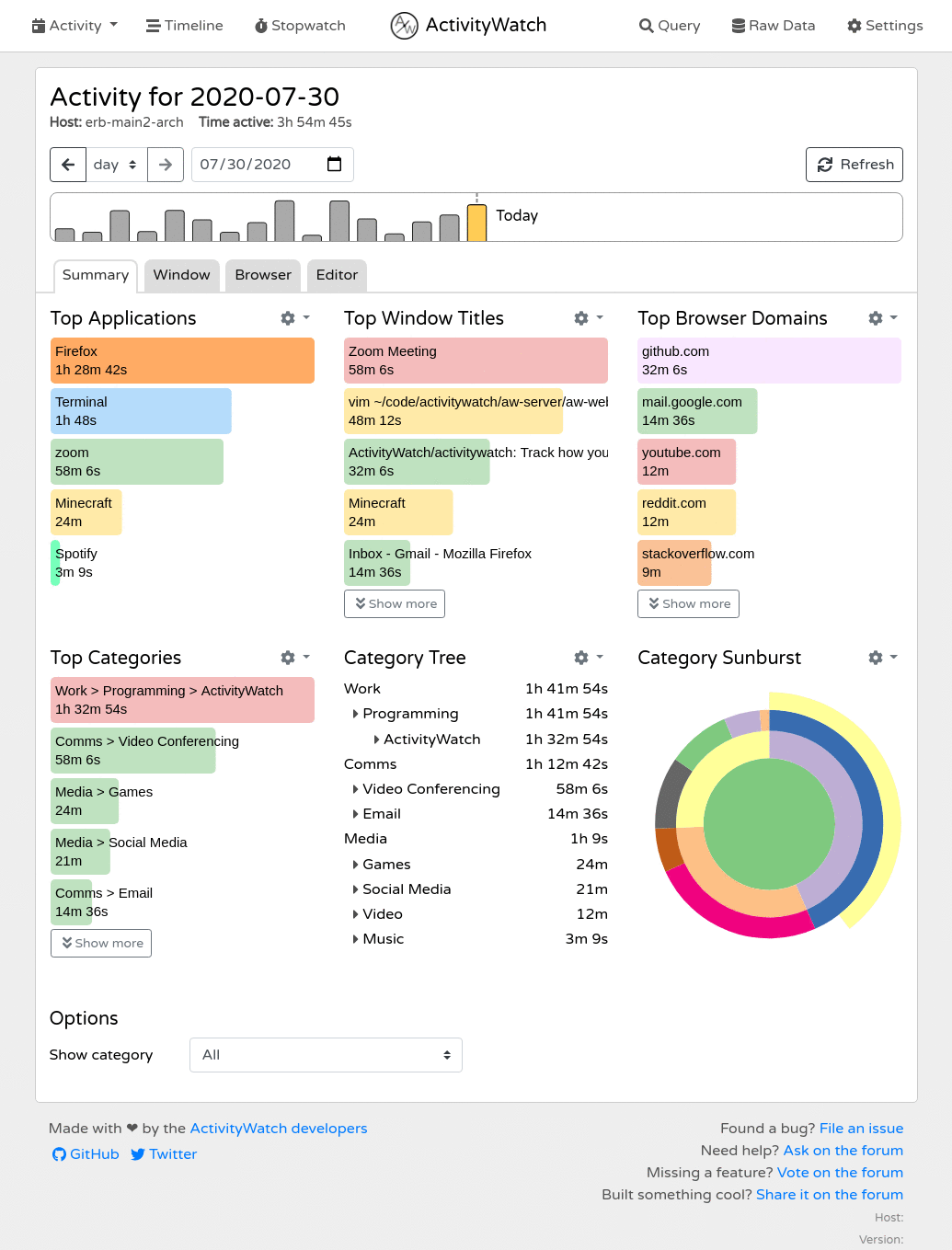
Automatic, local, free forever. Interprets nothing, so you will be doing the analysis, but it will never ask you to press a button.
Comparison
| Requires an action from you | Price | Billing features | |
|---|---|---|---|
| Toggl Track | Yes, start and stop | Free tier + paid | Strong |
| Cronus | No | $6/mo | None |
| Timing | Rule upkeep, not timers | ~$10/mo and up | Yes |
| RescueTime | No | $7–$15/mo, free Lite | Timesheets on Solo+ |
| ActivityWatch | No | Free | None |
When to stay on Toggl
Genuinely:
- You bill clients by the hour. None of the automatic tools above will produce an invoice you can defend the way Toggl will.
- You need a free tier. Toggl's is the best there is.
- You need Windows, Linux, mobile or web. Cronus is macOS today.
- Your forgetting is occasional. Turn on the activity block and Autotracker and you are probably fine.
The switch is worth it when you have concluded, honestly, that you are not going to become a person who presses the button. That is not a failure of will. It is just a fact about you that is cheaper to design around than to fight.
Try Cronus, 21 days free, then $6 a month. There is nothing to start and nothing to remember.
