Free and Open-Source Time Trackers in 2026
There is a good reason to want an open-source time tracker that has nothing to do with money.
A time tracker sees more of your working life than almost any other software you run. Every app, every window title, every URL. Wanting that to be code you can read, running on hardware you own, sending nothing anywhere, is an entirely reasonable position. It is arguably the most defensible position in this category.
This post covers what is actually good, and is honest about the part most write-ups skip: the real cost of these tools is not zero, it is just not denominated in dollars. Most of that cost is interpretation, which is the thing AI time tracking is for.
1. ActivityWatch
License: MPL 2.0 · Platforms: macOS, Windows, Linux · Price: $6/mo after a 21-day free trial
The most complete open-source option, and the one to try first.
ActivityWatch runs a local server on your machine with a set of watchers that report events: active window, AFK status, browser activity via extensions, editor activity via plugins. Everything is stored locally in a database you can query directly.
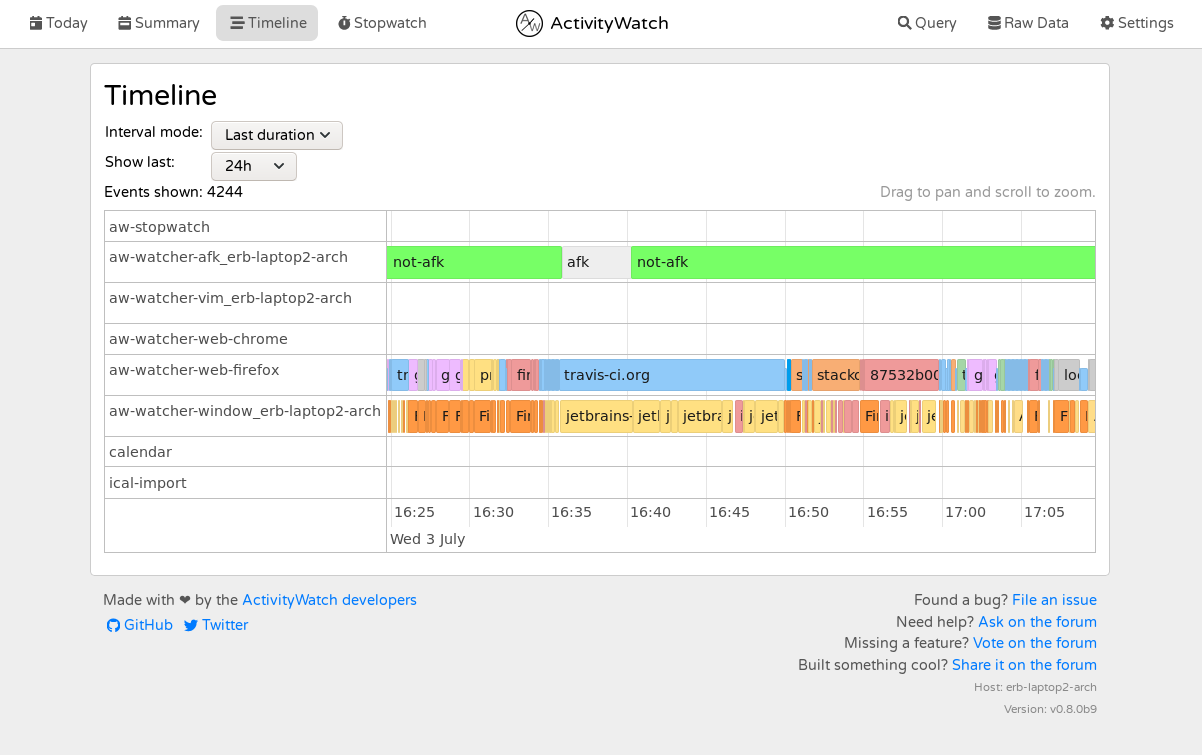
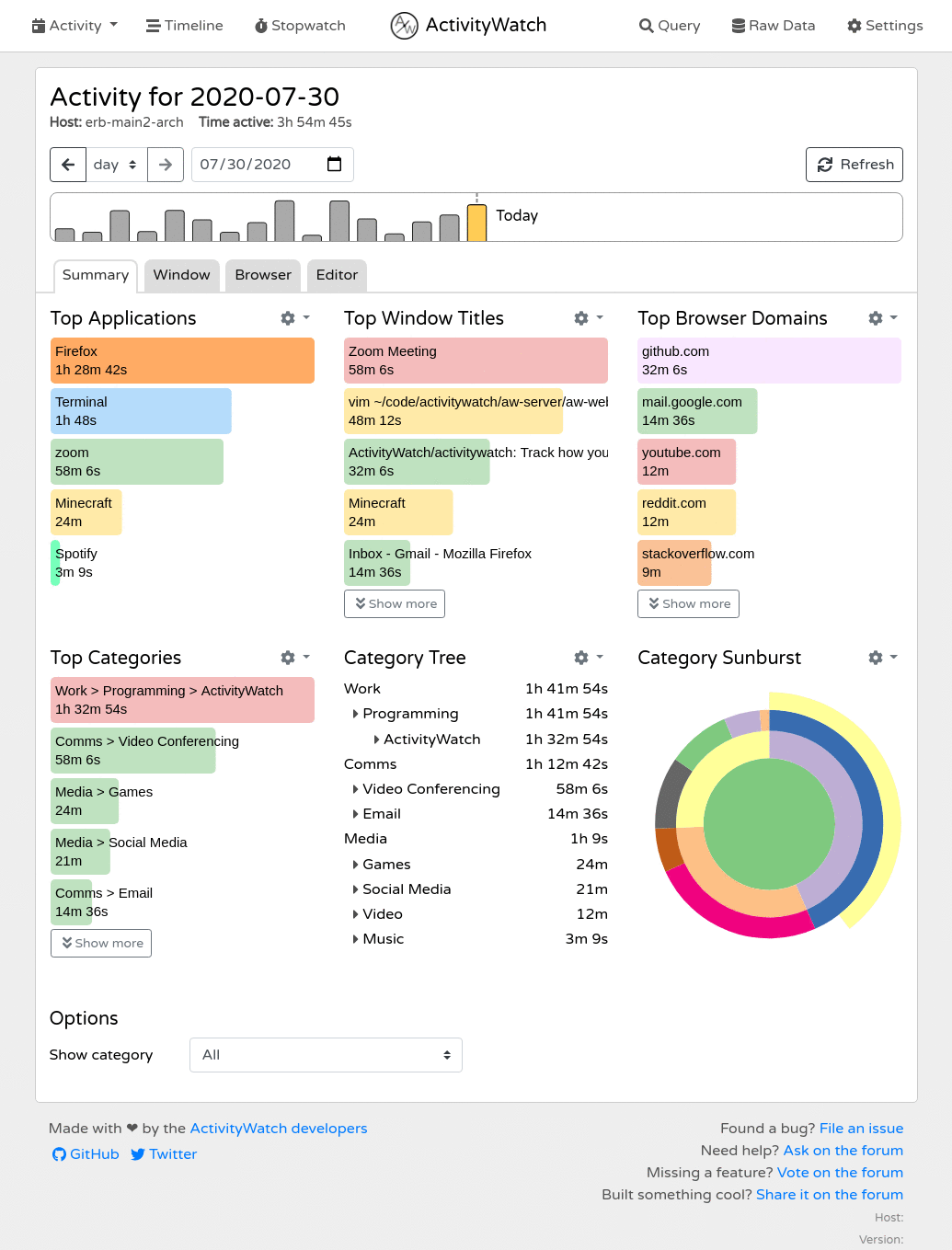
What is genuinely good: the data model is clean and extensible, the watcher architecture means you can add sources yourself, the browser and editor integrations are real, and the project has been maintained for years by people who care about it. Nothing leaves your machine unless you make it.
What is hard: the dashboards are functional rather than insightful. You get time-by-app and time-by-title, and turning that into "my mornings are being eaten by Slack and I should do something about it" is your job. Setting up browser and editor watchers is a per-tool exercise. And on macOS you will be granting accessibility permission to a locally-run server, which is fine but worth understanding.
2. Super Productivity
License: MIT · Platforms: macOS, Windows, Linux, web · Price: $6/mo after a 21-day free trial
Task manager first, time tracker second, and that ordering is the point. Super Productivity is built around working through tasks with timers attached, with Jira, GitHub, GitLab and Open Project integrations for pulling work in.
What is genuinely good: if your problem is "I want to track time against tasks I already have in a tracker," this is a clean fit, entirely local, with a Pomodoro implementation and a well-maintained codebase.
What is hard: it is fundamentally a manual tracker. You start and stop things. If the reason you are reading this is that you never remember to start a timer, this does not solve your problem.
3. Timewarrior
License: MIT · Platforms: anywhere with a terminal · Price: $6/mo after a 21-day free trial
Command-line time tracking from the Taskwarrior family. timew start coding, timew stop, and a genuinely powerful set of reports and intervals underneath.
What is genuinely good: perfect for people who live in a terminal. Scriptable, composable, tiny, with plain-text-ish storage you fully control. Pairs naturally with Taskwarrior.
What is hard: completely manual, and there is no automatic capture at all. It records exactly what you tell it, which for the right person is the feature and for everyone else is the dealbreaker.
4. Kimai
License: AGPL 3.0 · Platforms: self-hosted web · Price: free to self-host
The serious option if you need multi-user time tracking with invoicing and you refuse to use SaaS. Kimai is a self-hosted PHP application with customers, projects, activities, rates, invoice generation and user management.
What is genuinely good: it is a legitimate replacement for a paid team billing tool, on your own server, with your own database. For an agency with a strong data-residency requirement, this is the answer.
What is hard: you are now running a PHP web application, a database, and backups, forever. Manual entry. And someone on your team has to own the upgrades.
5. Tockler
License: GPL 3.0 · Platforms: macOS, Windows, Linux · Price: $6/mo after a 21-day free trial
Lightweight and focused: it automatically records the active window title and app, shows you a timeline, and stays out of the way.
What is genuinely good: the smallest, simplest automatic option. If you want a raw local log of what was in front of you and nothing more, Tockler does that with very little ceremony.
What is hard: no interpretation whatsoever. It is a log viewer.
The thing none of them do
Here is the pattern across every tool above, and it is structural rather than a matter of effort.
Open-source local trackers record. They do not interpret.
You will get a very accurate answer to "which windows were in front of me and for how long." You will not get an answer to "was that time well spent," because answering that requires a language model reasoning about what PR #2420 · arcainc/arca and docs.stripe.com/webhooks and youtube.com/watch?v=... mean in the context of what you were trying to do this week.
Running that locally is not impossible, but it is not free either: it means a capable model on your machine, using your RAM and your battery, all day, and small local models are meaningfully worse at this specific judgment than large ones. Nobody in the open-source tracking world has shipped this well yet, which is why every tool above stops at the log.
So the honest framing is not "free versus paid." It is:
Do you want a record, or do you want a verdict?
If a record is what you want, ActivityWatch is excellent and costs nothing and you should stop reading and go install it.
If you want a verdict, you need something that interprets, and today that means sending some amount of metadata somewhere.
What we do, and what it costs you
We built Cronus around the second answer, and the trade should be explicit.
Cronus never captures your screen. It reads window metadata through accessibility permissions: app name, window title, browser URL. Sensitive information is redacted on your device before anything is transmitted. What does get sent is categorized by an AI model against the goals you set, so the same site can be work in one context and a distraction in another. We are GDPR compliant, you can pause tracking whenever you like, and you can revoke the permission at any time. It is all in our privacy policy.

It is also free, though that is the less interesting difference. The interesting one is that metadata leaves your machine, and that is precisely what ActivityWatch does not do. If that is disqualifying for you, we would genuinely rather you ran ActivityWatch than felt misled by us.
Quick comparison
| Automatic capture | Interprets the time | Data leaves device | Effort to get value | |
|---|---|---|---|---|
| ActivityWatch | Yes | No | No | Medium |
| Super Productivity | No | No | No | Low, but manual |
| Timewarrior | No | No | No | Low, but manual |
| Kimai | No | No | No, self-hosted | High, you run it |
| Tockler | Yes | No | No | Low |
| Cronus | Yes | Yes | Metadata, redacted | None |
The recommendation
- You want ownership above everything. ActivityWatch. It is the best of these by a clear margin.
- You already manage tasks and want timers on them. Super Productivity.
- You live in a terminal. Timewarrior.
- You need team billing without SaaS. Kimai, and budget for the maintenance.
- You want a minimal local log. Tockler.
- You want to be told what your week actually was, without configuring anything. Cronus, and now you know exactly what leaves your machine to make that work.
